
Visibility Rule for State based on multiple Country entries | Community
Skip to main content
Amanda_Thomas6
New Participant
February 5, 2016
Solved

Visibility Rule for State based on multiple Country entries

  • February 5, 2016
  • 1 reply
  • 4869 views

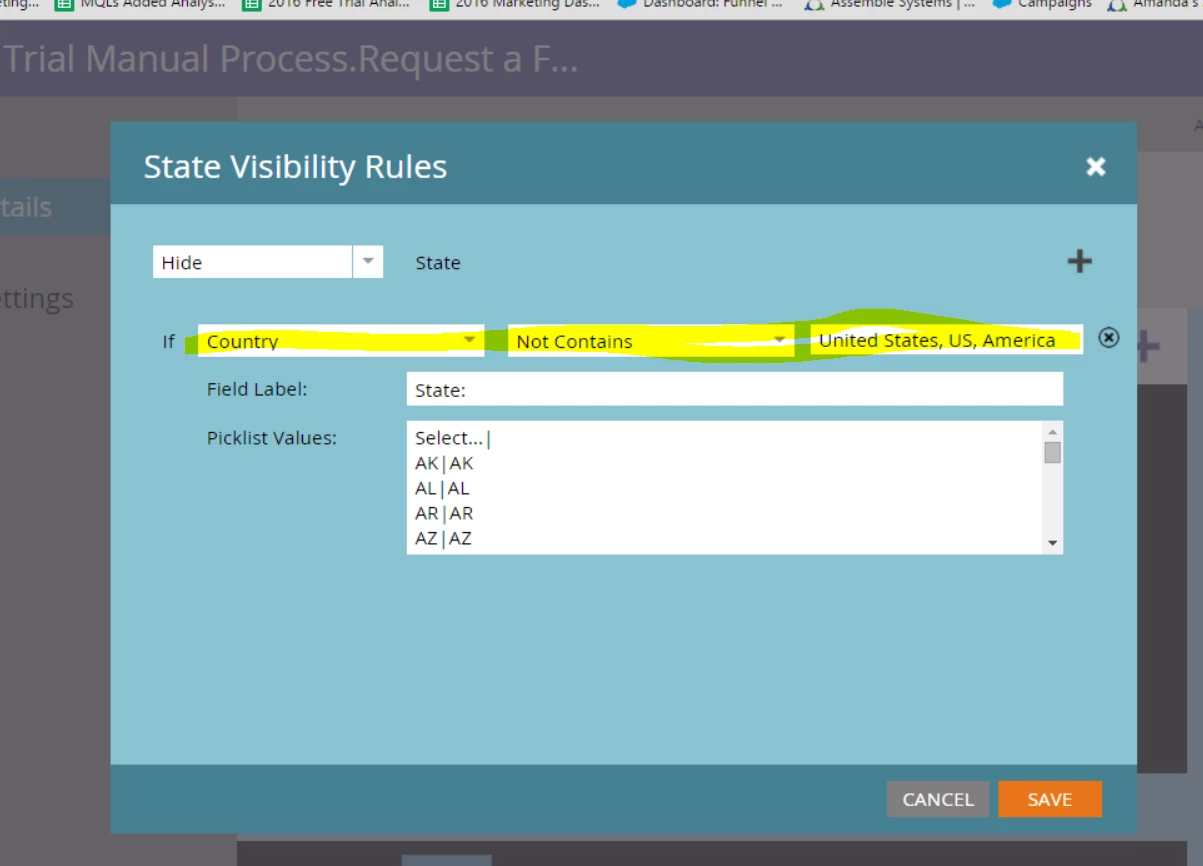
I am looking to hide the state field if country does not contain US, United States, or America. I noticed there is no plus button to add options for the If not contains field. So, I listed them "If [countryt] [not contains] [US, United States, America]". Picture 1. That didn't work, as in when I typed America in the Country field the State field didn't show up.

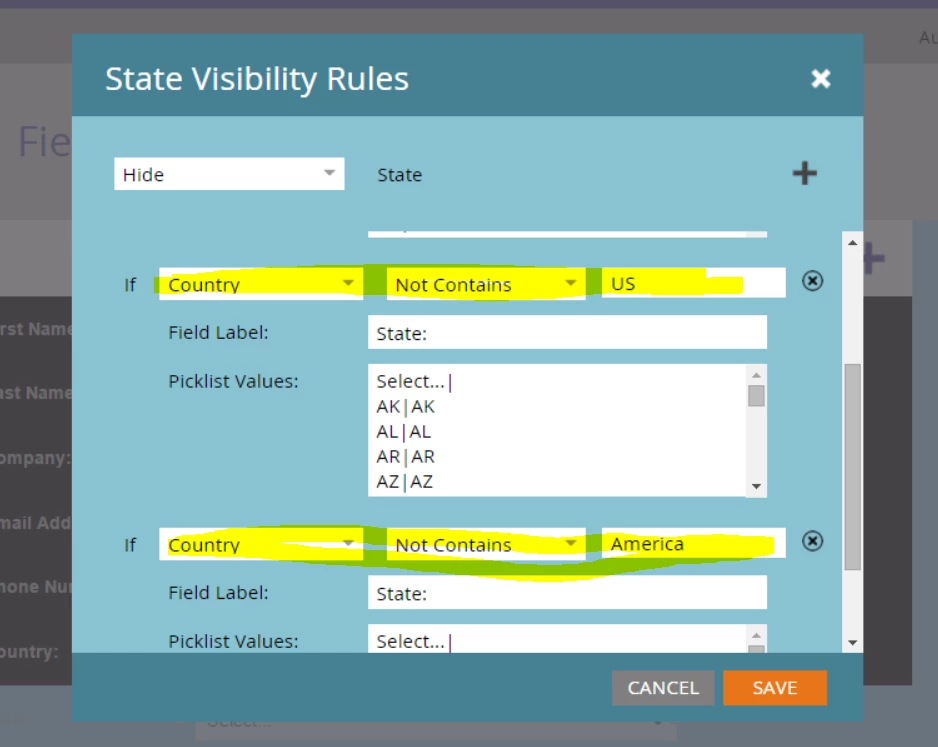
Then I tried to add more rule options (multiple "If" statements). Picture 2. That didn't work either. Again, I typed America in the Country field the State field didn't show up. Any advice?

Picture 1
Picture 2
Best answer by

I highly recommend using a picklist for Country standardization. Just put your most common countries at the top of the list for easy access. You should be able to get a list of country values from your CRM admin.

1 reply

February 5, 2016

Have you tried just showing the State field when Country is United States:

This way State/Province only shows on your form when that Country is selected.

Amanda_Thomas6
New Participant
February 5, 2016

Hi Emily,

Thanks for your reply! I have done that and it works. It's just that this field is an open field as to not have to list every country in a drop down. So, people could input US and United States of America, instead of just United States. So, the is option just won't work.

Accepted solution
February 5, 2016

I highly recommend using a picklist for Country standardization. Just put your most common countries at the top of the list for easy access. You should be able to get a list of country values from your CRM admin.