Web Activity Report Link Errors | Community
Skip to main content
February 19, 2016
Solved

Web Activity Report Link Errors

  • February 19, 2016
  • 2 replies
  • 1689 views

We recently subscribed our sales team to Web Activity reports for leads that belong to them.

One mentioned that, upon getting the email subscription, he was able to click through to the lead link and see all information pertaining to the lead (e.g. name, title, etc.)

However, upon returning to that report a week later, he is receiving 404 errors when clicking through to the same links (see screenshot below).
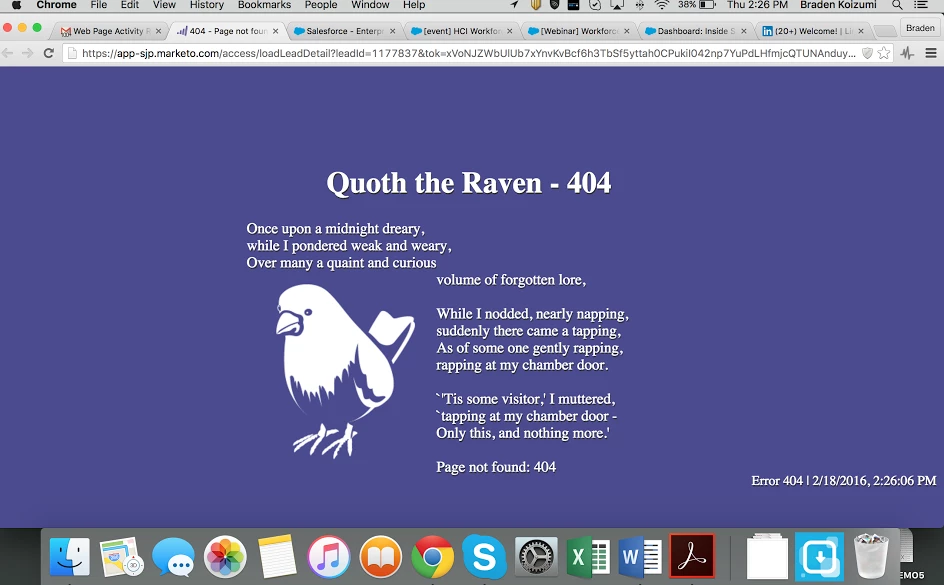
Do links expire in these reports after a certain period of time? Or is this an error either from our instance or something happening on the sales side?

Thanks in advance for any insight

This post is no longer active and is closed to new replies. Need help? Start a new post to ask your question.
Best answer by

Hi Michelle

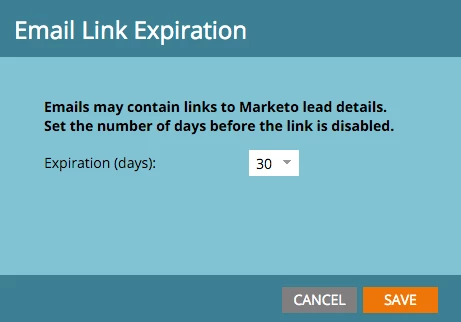
Yes. You can change Expiration days.

Admin=>Login Settings=>Edit URL Expiration

See also Change the Expiration Time for URLS in Report Emails - Marketo Docs - Product Docs

2 replies

February 19, 2016

Thank you SO much for the fast response! I had no idea that was an option.

As these are weekly reports, I've set the expiration to 8 days so that a new report coming out will overlap nicely.

Much appreciated

Accepted solution
February 19, 2016

Hi Michelle

Yes. You can change Expiration days.

Admin=>Login Settings=>Edit URL Expiration

See also Change the Expiration Time for URLS in Report Emails - Marketo Docs - Product Docs