Webhook response mapping not updating lead | Community
Skip to main content
Caleb_Williams
Level 2
Dec 4, 2019 8:21 PM UTC
Solved

Webhook response mapping not updating lead

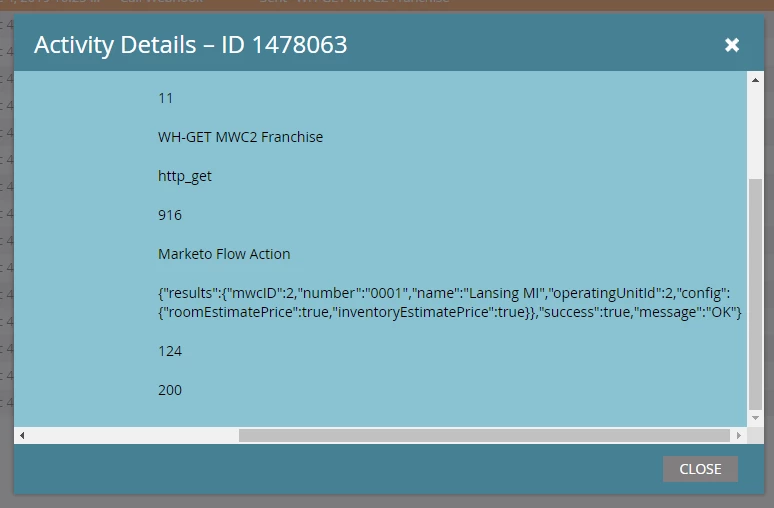
I have a webhook that is working and I see the response come back as a JSON as:

	{
"results": {
"id": 2,
"number": "0001",
"name": "city, state",
"ouId": 2,
"config": {
"show1": true,
"show2": true
}
},
"success": true,
"message": "OK"
}‍‍‍‍‍‍‍‍‍‍‍‍‍‍‍‍‍‍‍‍‍‍‍‍‍‍‍‍

However my response mapping of result.config.show1 results.config.show1 to a lead field is not updating the lead field. I have tried having the lead field be of type boolean, string, and text area with no change.

Is there an issue with Marketo reading this JSON correctly? Is there another way to get to having those values update a field on the lead? I'm even ok if that means using email scripting to evaluate the JSON.

Thanks,

Caleb


#json #marketo webhooks

This post is no longer active and is closed to new replies. Need help? Start a new post to ask your question.
SanfordWhiteman
SanfordWhitemanAccepted solution
Level 10
Dec 5, 2019 4:43 AM UTC

Ah I see. Nothing blocked:


Recreate the entire webhook and retest (no, this isn't a wild guess).

12 replies

Michael_Tucker1
Level 3
Dec 5, 2019 4:05 PM UTC

Glad this was resolved. Sometimes I run into issues when the response isn't mapped using an index value for the vector... Your JSON response isn't configured this way, but if there were no "response" array title, it's valid to have "[0].id" that would write the value 2 to whatever Marketo field you mapped that to... 

Just food for thought for response mapping issues... 

Translate
Michael Tucker
Caleb_Williams
Level 2
Dec 5, 2019 4:08 PM UTC

Yep, we use this on another web hook. Can't remember where i stumbled on the [0].key idea but it works very well.

Translate
SanfordWhiteman
Level 10
Dec 4, 2019 10:45 PM UTC

results has an "s".

Translate
Caleb_Williams
Level 2
Dec 5, 2019 2:02 AM UTC

Sanford,

Thanks for the reply and the close eye. I've confirmed this was just at typo in my question. Properly written as `results.config.show` in my field mapping.

I'd prefer that I was just that blind, and it wouldn't be the first time.

Regards,
Caleb

Translate
SanfordWhiteman
Level 10
Dec 5, 2019 2:35 AM UTC

Actually there's a typo in your last reply, too.

But as long as you have the right dotted JSON path, that's very simple JSON and will be no problem. Ensure the Response Type is set to JSON, and look in Field Management and make sure the field is updateable via webhook.

Translate