It could be the case that the template uses the word-break or word-wrap styles to deal with text that flows beyond the column.
Here's a link to some more info on that: CSS word-break property -- you can check out the "Try it Yourself >>" button for some good examples.
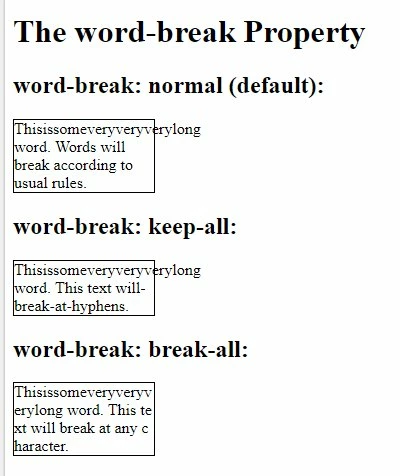
You may need to set the word-break to "normal" with some CSS on your text elements. For example:
<td style="word-break:normal;"> Your text goes here </td>
Depending on how your template is setup (and if this is the case) you might need to put the bolded style above on element that you do not want to wrap.
--
Another similar style that could be causing the same issue is word-wrap: CSS word-wrap property -- that'd work similarly, but with "word-wrap:normal;" instead of word-break.
This might be something that the team who developed your templates could iron-out at a high-level. I think in some cases, you do want the word wrap/break to be set and in other it doesn't make sense, but it could point to an issue with the framework of the email's box model.
