
You’ll want this: Stamp every lead with an Original Form Submission UUID
How can you tell whether a lead was net new at the time of form submission — that is, in the web browser, not in Marketo itself?
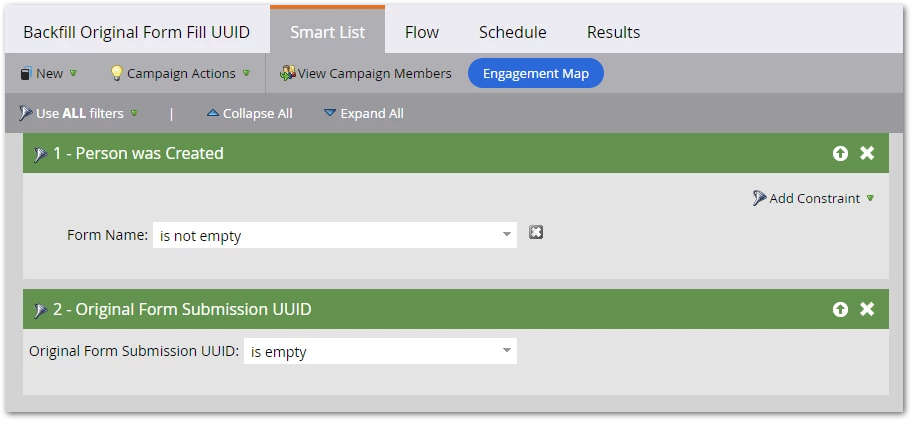
Easy to tell in Marketo: if Person is Created has a non-empty Form Name constraint, they were created by the form. There’s no built-in feature on the browser side, though.
(In case it didn’t immediately hit ya, knowing in the browser allows smarter web routing: net new folks can be taken to a different follow-up page, see personalized first-time content, etc.)
Net New Detection (call it NND) is possible with advanced custom JS, which I’ll provide in an upcoming post. In preparation, you need to create a new field and maintain that field with a tiny bit of JS + ongoing Smart Campaign + one-time backfill.
You may not know exactly why this field is necessary, but you will soon. Might as well get prepped!
Creating the field
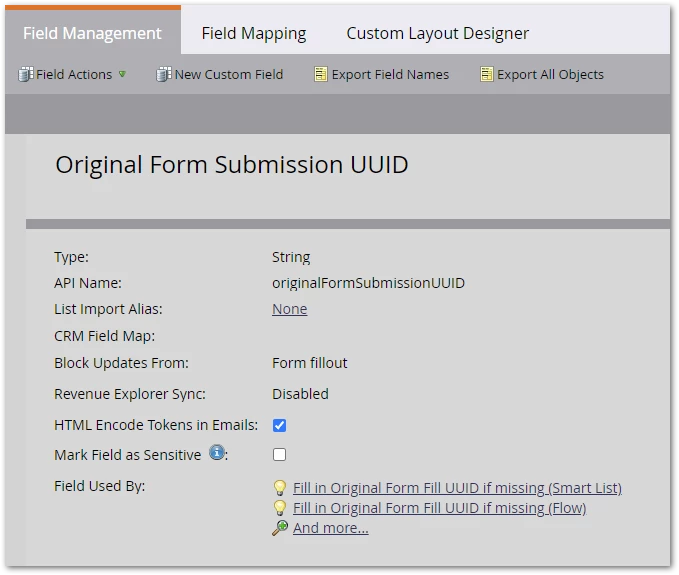
The field is Original Form Submission UUID, a String, and you must Block Updates from Form Fillout:
Managing the field using JS (for NND-enabled forms)
This simple JS generates a guaranteed-unique value and stores it in our new field:
MktoForms2.whenReady(function(readyForm){
   readyForm.onSubmit(function(submittingForm){
      submittingForm.addHiddenFields({
         originalFormSubmissionUUID : self.crypto.randomUUID()
      })
   });
});
If you were to deploy the JS above alongside every form, everywhere, you wouldn’t need a supplementary Smart Campaign. But it’s far easier to use the JS only on forms you want to NND-enable. You can cover the rest with a Smart Campaign.
Managing the the field using a Smart Campaign (for all other forms)
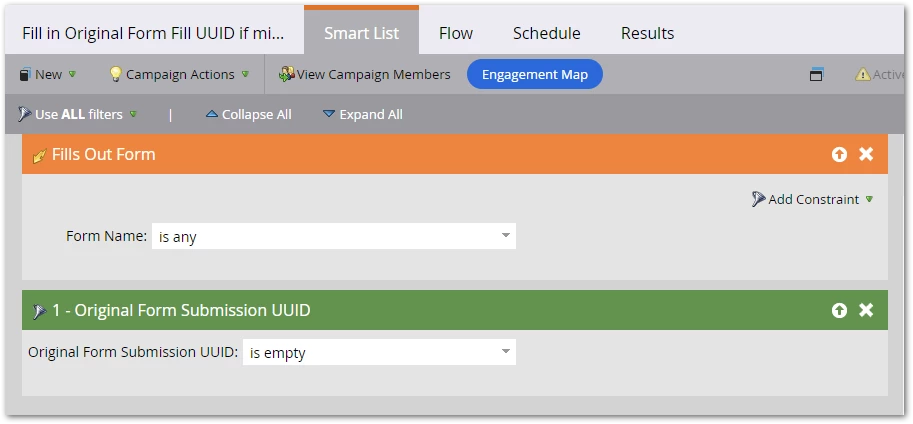
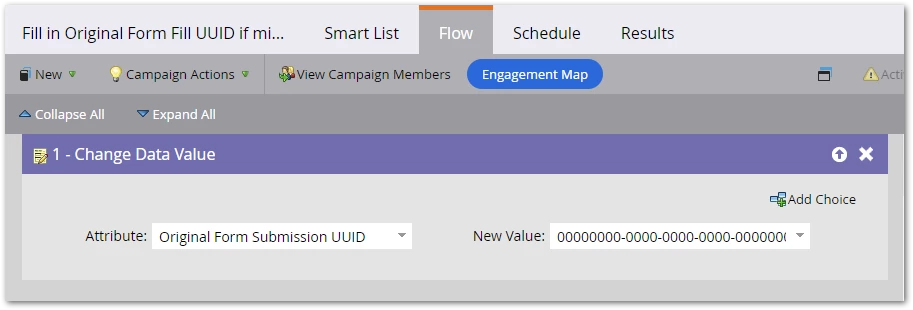
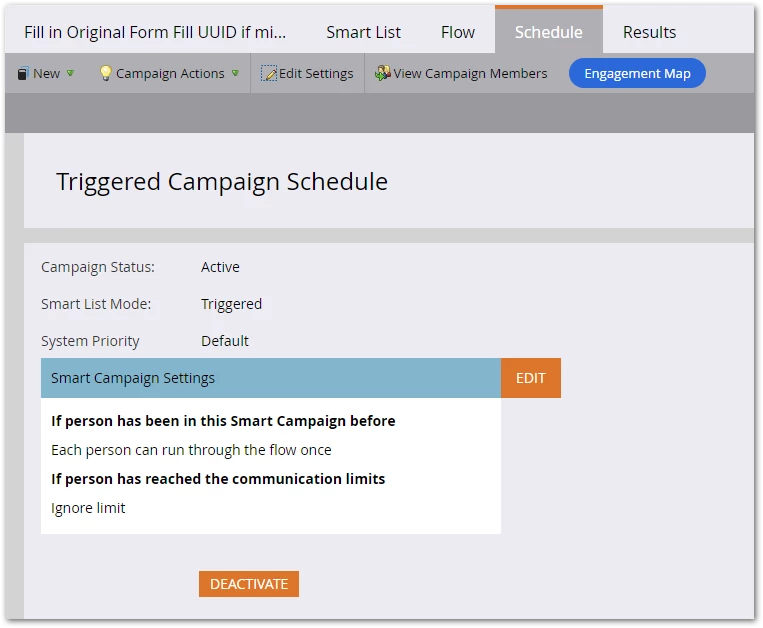
The campaign below captures all “unmanaged” form submissions, where the JS above isn’t running, and sets the standard empty UUID value:
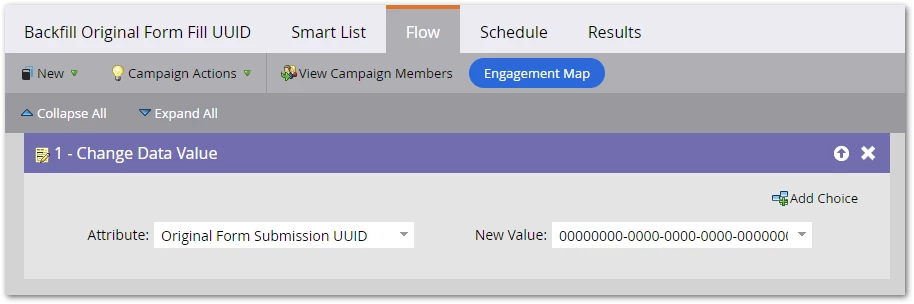
00000000-0000-0000-0000-000000000000
Backfill existing folks
Finally, run a one-time backfill campaign for existing people created by a form, also setting the default UUID:
Done! Now you’re ready for the real fun: the next post in this series.