I think you should include a note in the cancellation email to let recipients know that they'll be automatically registered for the webinar that is happening on 25th Jan (just so that they know and aren't taken by surprise when you send the registration confirmation email for the 25th Jan webinar). Alternatively, you can also provide the registration page's link in the cancellation email. Interested people can register for the webinar happening on 25th Jan (also, if the webinar is the same, then you may go with option 1 of auto-registering and informing them regarding it, but in that case, it may make sense to include a registration cancellation link in the email as well, just so that if they want to cancel their auto-registration for the Jan 25th webinar).
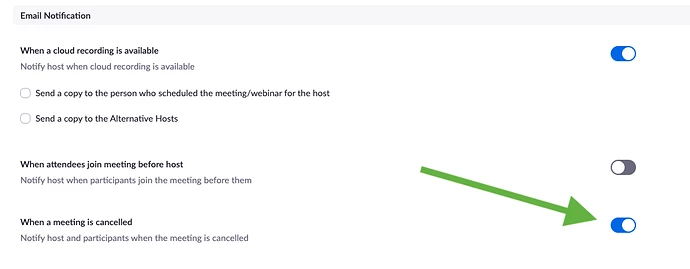
Also, if you've check-marked the "Notify host and participants when the meeting is canceled" option in Zoom (snapshot below), then the cancellation email would automatically go out to the registrants and the host upon event cancellation. So make sure that it is turned off if you're planning to send the cancellation notification from Marketo instead.
Based on how you're moving people registered for the 12th Jan webinar over to the one on 25th Jan, you'd want to update the Jan 25th event registration campaign set up for sending out the registration confirmation email and updating their program status. Make sure to update their correct program status in the Jan 12th webinar as well, just so that they don't appear as registered for both events.
Hope this helps! Please let us know if you have questions.