Syntax in watch record module: Filter for project id | Community
Skip to main content
New Participant
September 12, 2024
Solved

Syntax in watch record module: Filter for project id

  • September 12, 2024
  • 2 replies
  • 795 views

Hi,


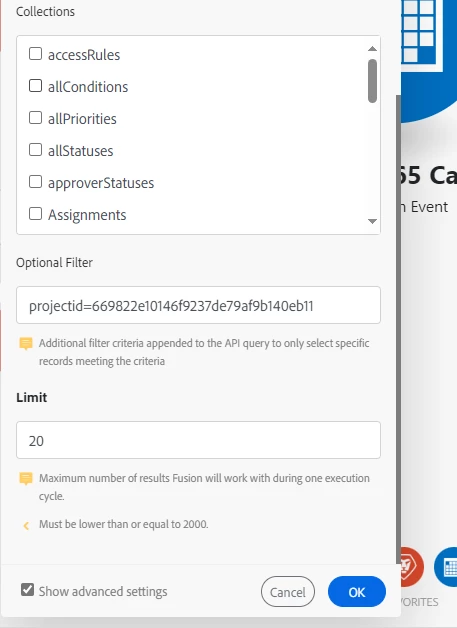
I am trying to find the correct syntax for the watch record module in Fusion.


I am trying projectid, project:id or Project:ID or ProjectID with no success.  I am getting a [422] APIModel V18_0 does not support field projectid (Task)


Here is a screenshot of what I am trying to accomplish:
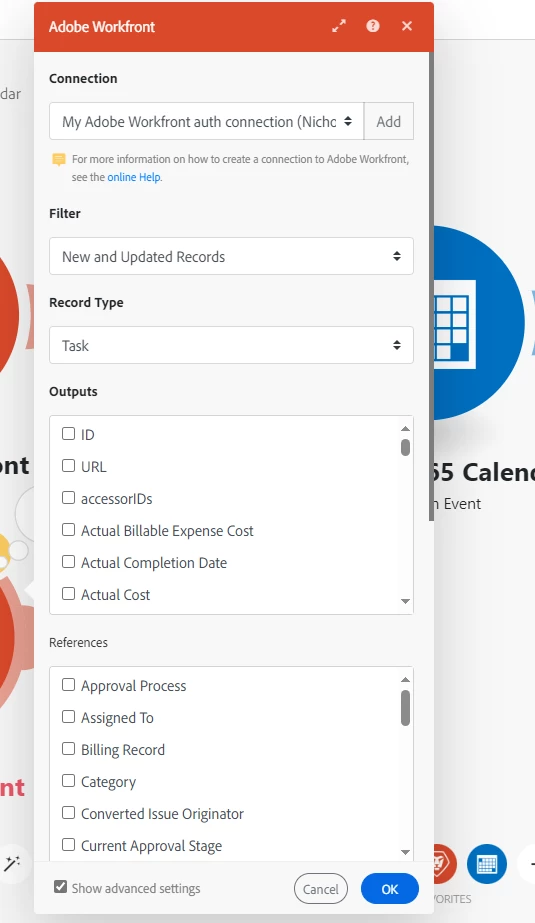


Project ID is in fact an output option for the task record type, however, it is not allowing me to filter by project.


Thank you for the help,


Nick

This post is no longer active and is closed to new replies. Need help? Start a new post to ask your question.
Best answer by lgaertner

Hello Nick,


You write, you tried projectid, project:id, Project:ID or ProjectID with no success, but did you also tried projectID?

You should always use the API-Explorer to find out the correct spelling of field names.

Just enter task in the filter field in the top left corner and scroll to the desired field.


Regards

Lars

2 replies

New Participant
September 24, 2024

I have used filters for several watchers. Some of them include more than one data element.

I first build the filter in WorkFront and convert it to text mode. Works like a champ

for multiline filters be sure to edit the result into one line using an ampersand between the statements like below

DE:DO NOT PROCESS=True&DE:DO NOT PROCESS_Mod=in

lgaertner
lgaertnerAccepted solution
New Participant
September 12, 2024

Hello Nick,


You write, you tried projectid, project:id, Project:ID or ProjectID with no success, but did you also tried projectID?

You should always use the API-Explorer to find out the correct spelling of field names.

Just enter task in the filter field in the top left corner and scroll to the desired field.


Regards

Lars

New Participant
September 23, 2024

Thank you Lars, that worked!