Upload an asset module fields | Community
Skip to main content
New Participant
September 23, 2024
Question

Upload an asset module fields

  • September 23, 2024
  • 2 replies
  • 603 views

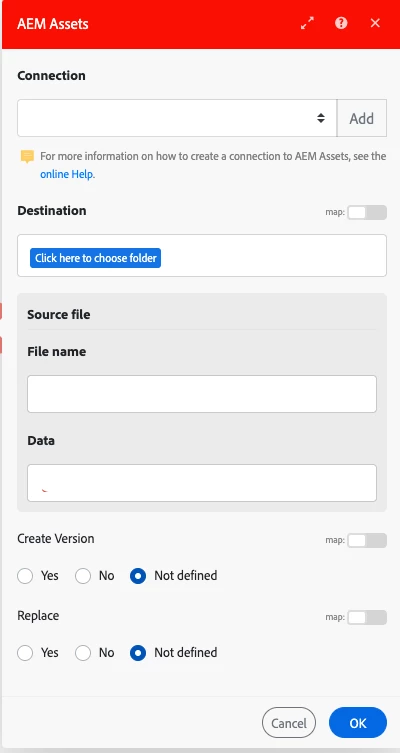
Hi, I'm working on moving some documents from Adobe Workfront to AEM assets using fusion. I'm using Upload an Asset module in my scenario to upload the document to AEM asset and came across the below fields. Does anyone know what are they used for? 


Create version

Replace


Currently when I upload same document again, it overwrites the previously uploaded document. Is there any way I can keep both the versions of the documents? 

Thanks!
2 replies

New Participant
March 12, 2025

Which FUSION module is this? I've been looking for one with those switches - but I'm not seeing them. Is there a behind the scenes configuration switch that needs to be thrown? 

lgaertner
New Participant
September 23, 2024

Hello,


If the module is working as expected, both checkboxes should do, what their name says:


createVersion

If True and an asset with the specified name exists, then Experience Manager creates a new version of the asset.


replace

If True and an asset with the specified name exists, Experience Manager deletes the asset then re-create it.


If the asset exists and neither createVersion nor replace is specified, then Experience Manager updates the asset’s current version with the new binary.


Regards

Lars

aembeeAuthor
New Participant
September 23, 2024

Thanks @lgaertner for the explanation! I have used below configuration and it's overwriting the documents. Any suggestions?

Create Version: Yes

Replace: No