Adative form core component Number Input Core Component's Display Pattern dropdown not appearing | Community
Skip to main content
New Participant
July 17, 2025
Solved

Adative form core component Number Input Core Component's Display Pattern dropdown not appearing

  • July 17, 2025
  • 2 replies
  • 1206 views

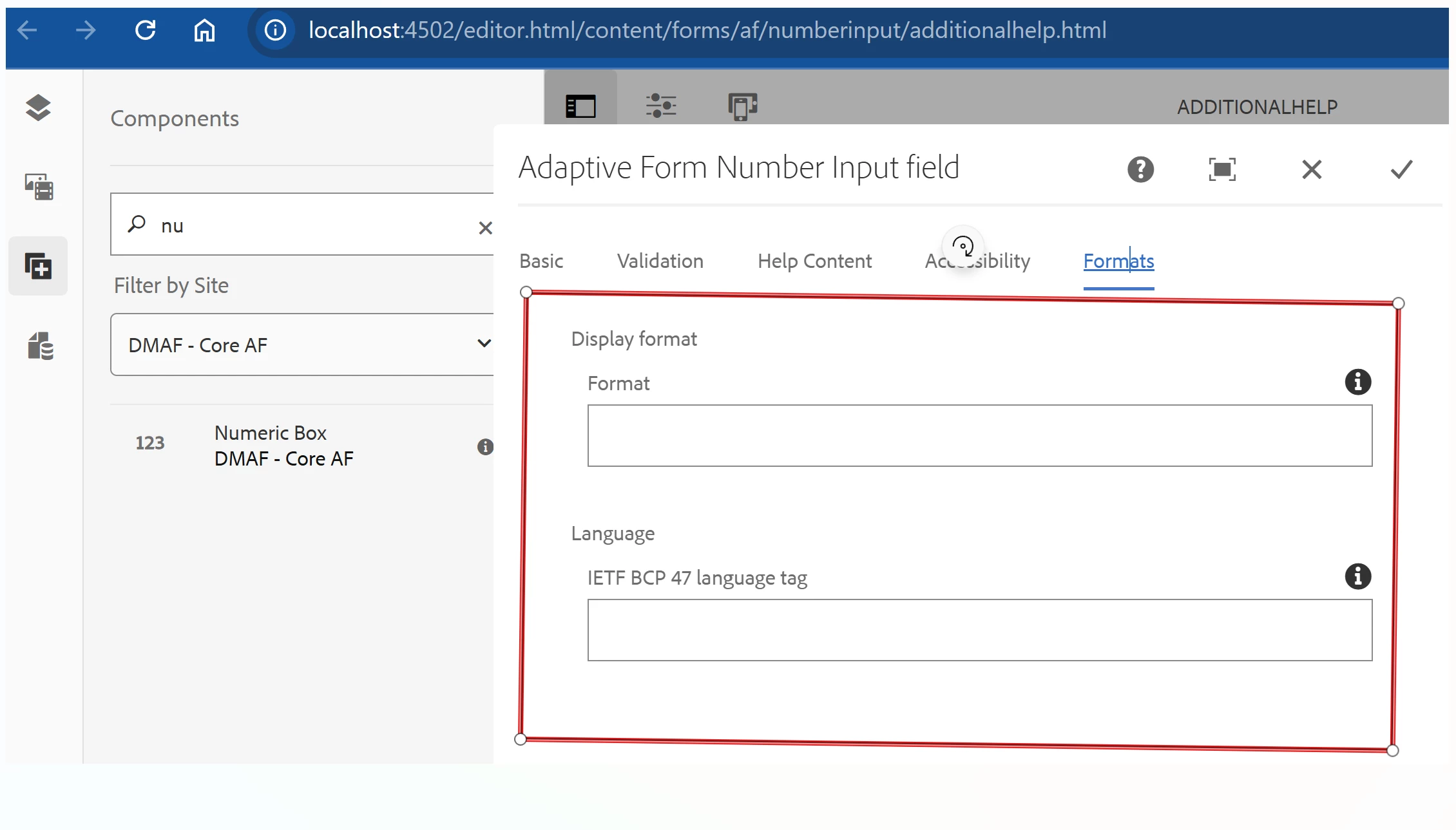
Number Input Core Component's Display Pattern dropdown not appearing in the OOTB Adaptive Form template (blank-af-v2) but working when the same component is used in your own custom project (/conf/myForm/...) — even though the versions are the same .


Working as expected for myForm Project with  /conf/myForm/settings/wcm/templates/blank-af-v2 
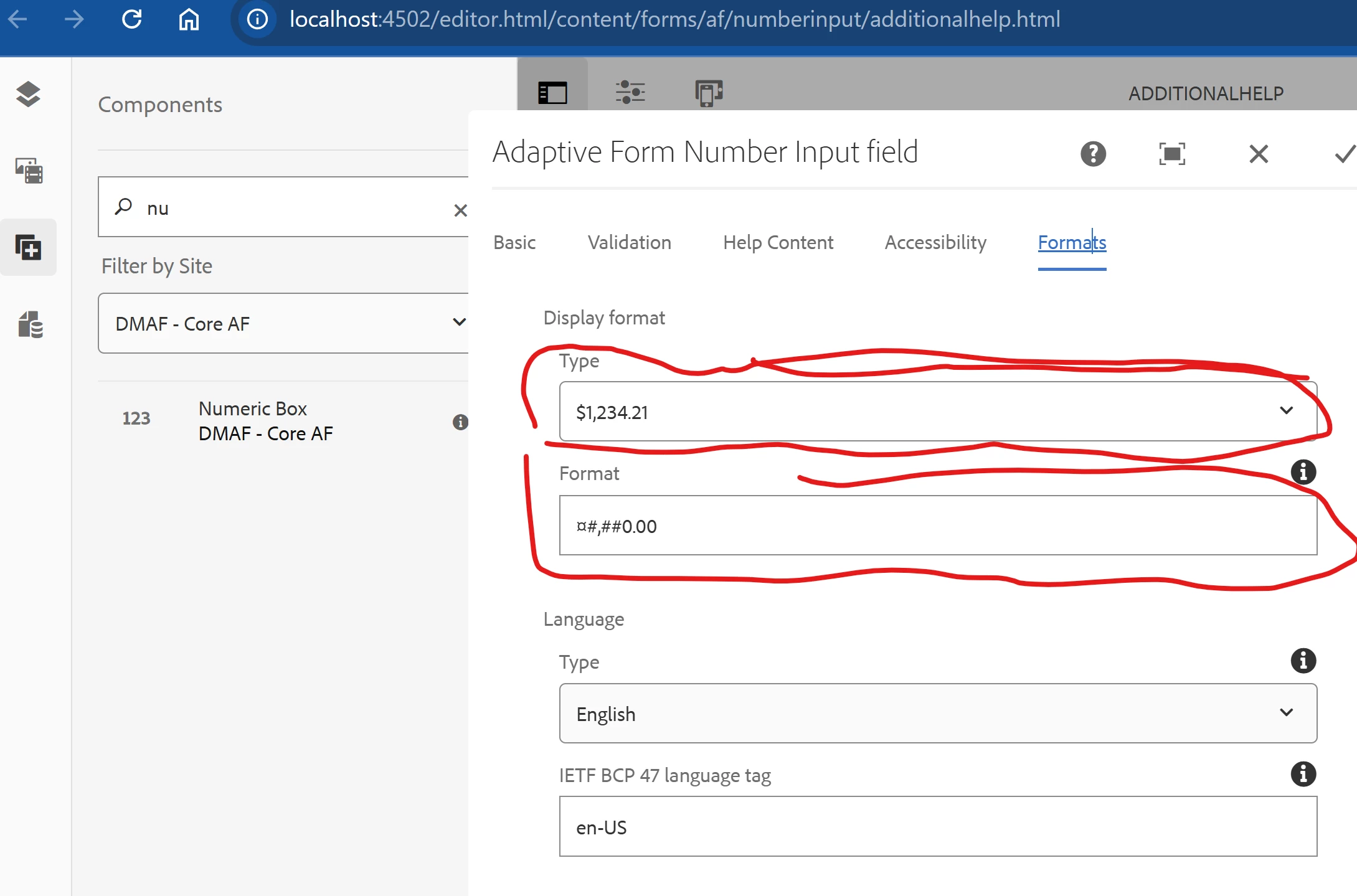
MyCore component project even though both refereing core/fd/components/form/numberinput/v1/numberinput


Best answer by Sakshi5

@varaande This doesn't depend on core component version, it depends on content policy configured in template. If you use the latest archetype to build the project, it will be added to the template created under the appid for your project. We have also added these content policies to examples as well https://github.com/adobe/aem-core-forms-components/tree/master/examples/ui.content/src/main/content/jcr_root/conf/core-components-examples/settings/wcm/templates/af-blank-v2

In up coming August release it will be available in OOTB templates, if you are on cloud.

2 replies

Sakshi5
Sakshi5Accepted solution
Employee
July 23, 2025

@varaande This doesn't depend on core component version, it depends on content policy configured in template. If you use the latest archetype to build the project, it will be added to the template created under the appid for your project. We have also added these content policies to examples as well https://github.com/adobe/aem-core-forms-components/tree/master/examples/ui.content/src/main/content/jcr_root/conf/core-components-examples/settings/wcm/templates/af-blank-v2

In up coming August release it will be available in OOTB templates, if you are on cloud.

Khushwant_Singh
Employee
July 22, 2025

@varaande we tried to reproduce the disabled error. It seems to be working for us. Can you share your console logs?

varaandeAuthor
New Participant
July 23, 2025

@khushwant_singh 

The Core Component Number Input field loads the default display pattern list only when a policy is defined at the Adaptive Form Core Component template level. Without this, it won’t display the pattern options automatically.

Additionally, to populate the language dropdown, instead of adding all 47 locales through the fd:supportedLocales multi-value property, it’s recommended to add each language as an individual property—for example:
lang1 = "English=en-US"
lang2 = "French=fr-FR"