AEM DESIGNER HTML5 FORMS FLOATING FIELDS ISSUE | Community
Skip to main content
pranaym48551345
New Participant
August 9, 2021
Solved

AEM DESIGNER HTML5 FORMS FLOATING FIELDS ISSUE

  • August 9, 2021
  • 3 replies
  • 2306 views

Hi Team,


I am recently working on converting PDF forms developed in  AEM designer to make them HTML5 Compatible. However i am facing issues with the Floating fields.

It seems that the values are getting properly assigned to the variables but they are not getting displayed on the form. The same is working with the PDF version but is not working with the HTML5 form.

Can someone please guide me through this issue as i am not able to find any solutions for the problem.


Thank You 
This post is no longer active and is closed to new replies. Need help? Start a new post to ask your question.
Best answer by workflowuser


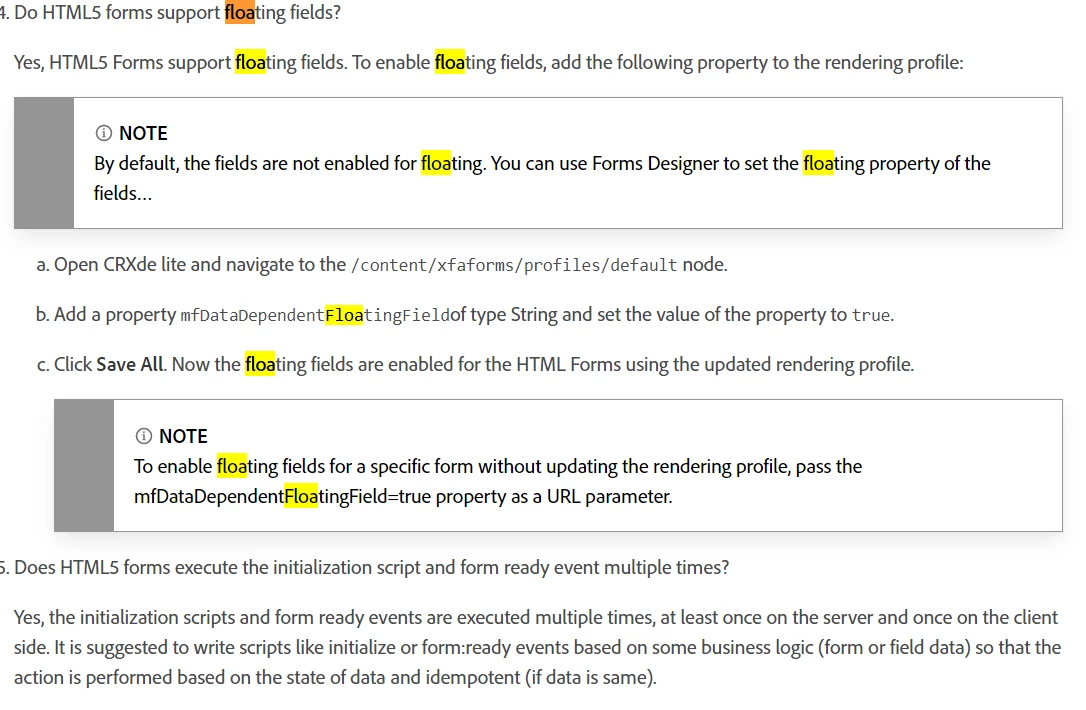
to enable floating fields support in html5 renditon of xdp ,please follow the following steps


3 replies

Mayank_Gandhi
Employee
August 10, 2021

@pranaym48551345  Please follow the steps as @workflowuser pointed out. If the issue persist kindly share a test form with us. 

New Participant
September 26, 2023

Hi Mayank,


We are upgraded to AEM Forms latest patch and I found that floating field issue. Floating field value is displaying in PDF whereas in HTML5 value is coming as null. I have added the mfDataDependentFloatingField proprty as well but no luck.

Thanks,

Srujan

workflowuserAccepted solution
Employee
August 9, 2021


to enable floating fields support in html5 renditon of xdp ,please follow the following steps


Pulkit_Jain_
Employee
August 9, 2021

@pranaym48551345 

Please confirm the version of AEM Forms you're using? Are rendering the Form using default profile?

Also, could you please share a screenshot of the floating field in the PDF form when renedered as a PDF and as HTML.

pranaym48551345
New Participant
August 9, 2021

Hi Pulkit,

I am using the AEM forms 6.5 version and also i am trying to test the changes in my local designer. Can you please confirm if i can test the same in my local or i have publish the form in the server and test.

I am using the floating field like this and based on the selection of the dropdown at the top of the page i am setting the values for the floating fields.

Also i am using the same text for both PDF and HTML, please confirm i need to make any changes for the same or if this syntax is correct.

Thanks
Pranay