
AEM Form is not visible under "Workflow Task Details UI" and instead downloaded as "jcr:content" file | Community
Skip to main content
shubhams222
New Participant
December 13, 2020
Solved

AEM Form is not visible under "Workflow Task Details UI" and instead downloaded as "jcr:content" file

  • December 13, 2020
  • 2 replies
  • 850 views

Hi All,

On AEM forms submission a workflow is invoked. Now going on to AEM inbox to approve/reject the workflow the form is not visible on the "workflow tasks UI" and instead the form HTML is downloaded as a jcr:content.


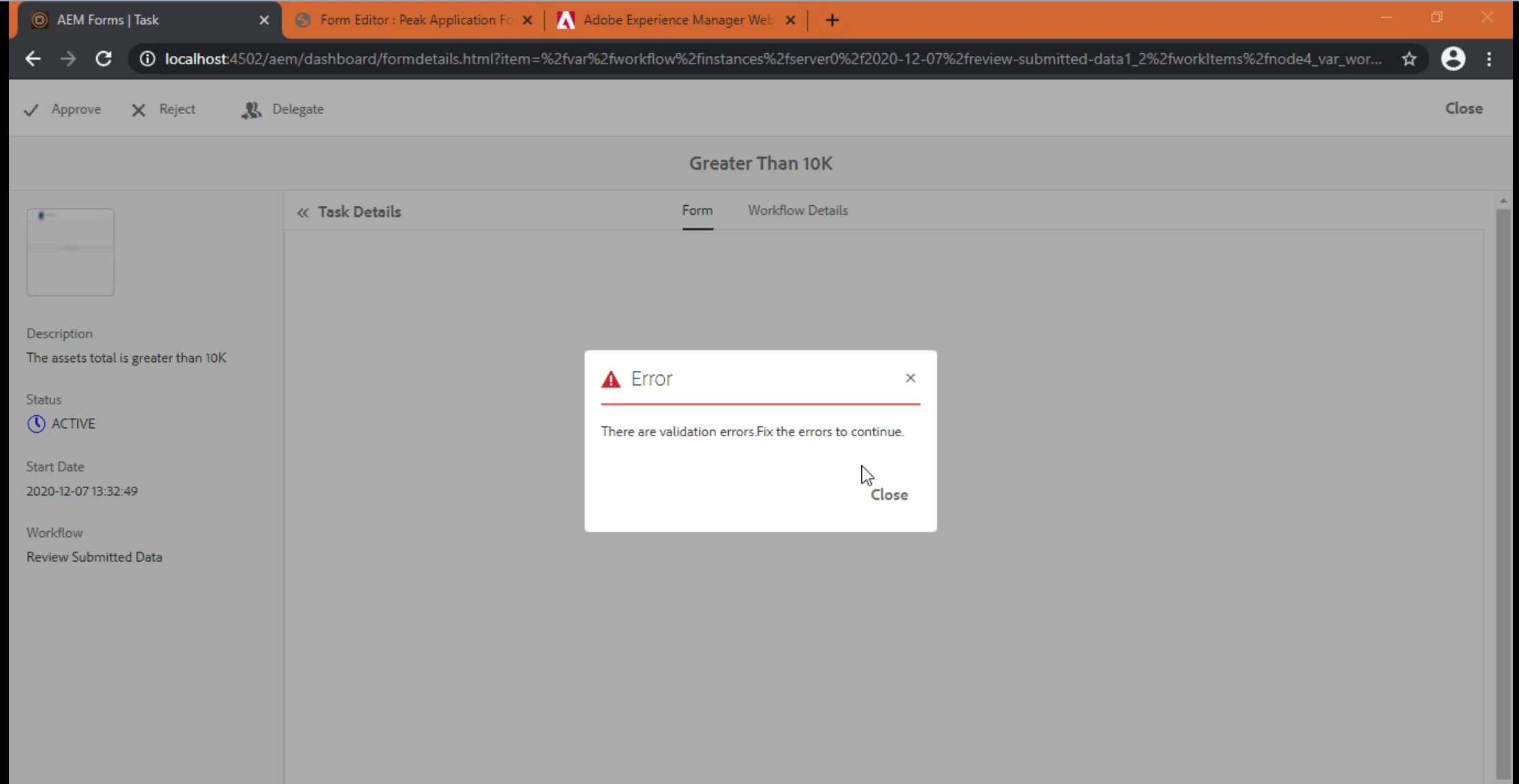
And if I click on approve/reject then getting validation error message as shown in screenshot below.


There is no customisation involved , all out of the box flow.

Also in error.log file there is nothing related to this form or workflow.

Even in browser console there is no related error, due to which the form tasks is downloaded as jcr:content file.


Can anyone please help in such scenario why the form is not visible under "Workflow Task Details UI" ?
This post is no longer active and is closed to new replies. Need help? Start a new post to ask your question.
Best answer by shubhams222

 This is the Workflow UI and when the window loads the Task details UI is blank and AEM Form is downloaded as jcr:content.

After click on Approve/Reject - getting the error message.


2 replies

New Participant
December 13, 2020

Have seen this

Can you please upgrade to the latest service pack?

shubhams222
shubhams222AuthorAccepted solution
New Participant
December 13, 2020

 This is the Workflow UI and when the window loads the Task details UI is blank and AEM Form is downloaded as jcr:content.

After click on Approve/Reject - getting the error message.