Solved
AEM Forms Cloud Service client libs
In AEM forms cloud service, there is no option for "code editor". How we can add the custom function for any fields like ajax or custom validations for the field. Or any way to enable the "code editor".
In AEM forms cloud service, there is no option for "code editor". How we can add the custom function for any fields like ajax or custom validations for the field. Or any way to enable the "code editor".
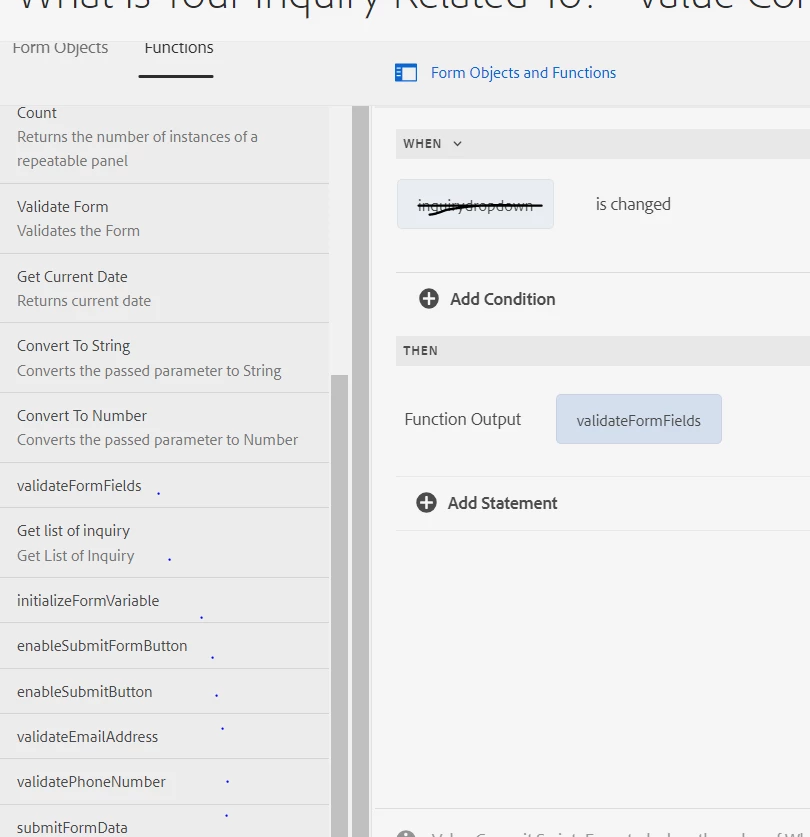
In AEM CS, there is no "code editor", so we need to call our clientlibs function in visual editor only.
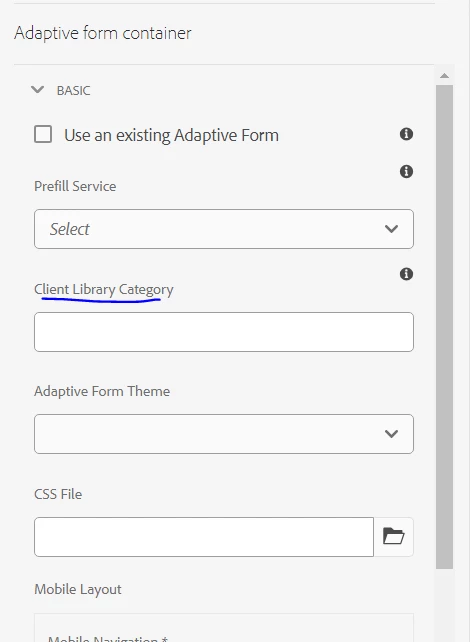
Found the way, We need to create a clientlibs, Author the category name in form container clientlibs section. After this you can able to see your functions in editor,
Enter your E-mail address. We'll send you an e-mail with instructions to reset your password.