Alignment of textbox and static text | Community
Skip to main content
ashwiniv4987080
New Participant
August 9, 2017
Solved

Alignment of textbox and static text

  • August 9, 2017
  • 2 replies
  • 3117 views

Hi Team,

I am developing a form I came across a situation that static text is followed by blank and again followed by static text again.Below is the sample for your reference
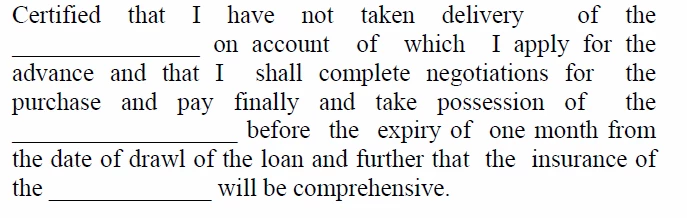
If i add a textbox in place of blank the static text is coming in the next line. I need alignment of the textbox and static text on the same line.But I'm getting alignment as shown below.Please help me out with this issue.
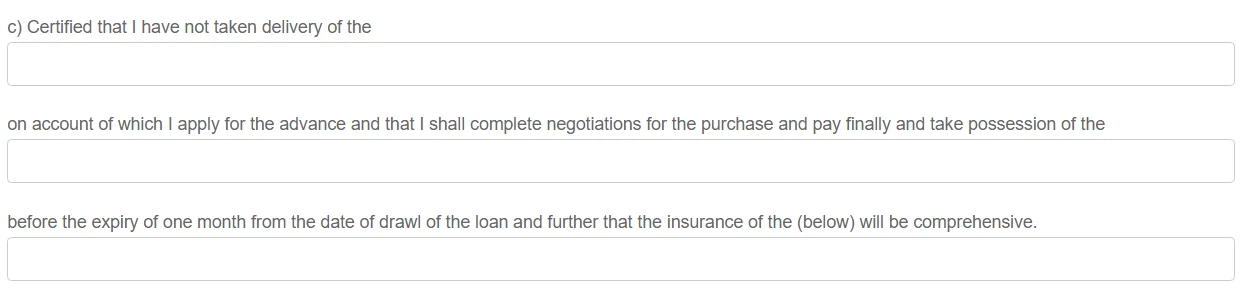
Regards

Ashwini

This post is no longer active and is closed to new replies. Need help? Start a new post to ask your question.
Best answer by Khushwant_Singh

Hi Ashwini,

  1. Add a panel, break it into multiple columns, add fit your text box and static box into the column.
  2. In the style mode, use Text > Text Align property.

Regards,

Khushwant Singh

2 replies

ashwiniv4987080
New Participant
August 29, 2017

Hi Khushwant Singh,

            Thanks for your solution.

The above solution will work well with forms containing less blanks.But my form consists of many blanks.So I need to add many panels which is creating performance issues(consuming more time to load the form).

     Kindly let me know if there is any alternative solution.

Regards,

Ashwini

Khushwant_Singh
Khushwant_SinghAccepted solution
Employee
August 10, 2017

Hi Ashwini,

  1. Add a panel, break it into multiple columns, add fit your text box and static box into the column.
  2. In the style mode, use Text > Text Align property.

Regards,

Khushwant Singh