Auto suggest feature in AEM 6.3 adaptive forms | Community
Skip to main content
Level 3
Jan 25, 2018 5:21 AM UTC
Solved

Auto suggest feature in AEM 6.3 adaptive forms

Hi,

How to implement auto suggest feature in AEM adaptive form where a REST or SOAP call has to be made to fetch the list and show it while typing in the textbox.

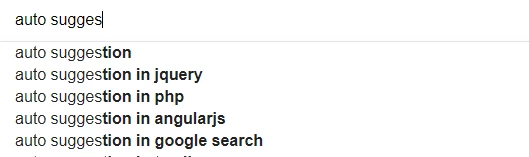
This is some what similar to Goggle auto suggest which shown below. We are using AEM 6.3 version.
This post is no longer active and is closed to new replies. Need help? Start a new post to ask your question.
WasilZeeAccepted solution
Employee
Jan 26, 2018 8:46 AM UTC

You can create a custom widget, have a look at this blog : AEM Forms: Using Custom Widget in Adaptive Form - Experience Delivers

5 replies

Level 3
Jan 26, 2018 9:07 PM UTC

Thanks james.. this is really helpful

Translate
James_R_Green
Level 6
Jan 26, 2018 9:23 AM UTC

Hi prabuj201987​

You will need to do some reading around that area, there are plenty of articles online, a good place to start is here:

Adobe Experience Manager Help | Developing User Guide

Start off with a very simple aem site component before going on to a custom form widget. The form widgets are more complex in my opinion.

Translate
WasilZeeAccepted solution
Employee
Jan 26, 2018 8:46 AM UTC

You can create a custom widget, have a look at this blog : AEM Forms: Using Custom Widget in Adaptive Form - Experience Delivers

Translate
Level 3
Jan 26, 2018 7:08 AM UTC

Hi James, Thanks for the reply.

Could you please let me know how to copy the guidetextbox to my project in CRX? I am using an adaptive form.

Sorry if my question is very basic,  i am new to this and mostly work without using CRX.

Translate
James_R_Green
Level 6
Jan 26, 2018 1:19 AM UTC

There isn't anything like this out of the box.

I will assume you know how to code this in HTML and JS outside of AEM.I would look at creating a custom widget.

To get started:

1) Copy the guidetextbox from /libs/fd/af/components/guidetextbox into your project

2) Delete the widget.jsp and replace with a widget.html like the following:

3) Create a client library with a category of af.customwidgets.

4) In the client library add code as follows:

5) Change the CLASS_FOR_YOUR_TEXTBOX and YOUR_WIDGETNAME

6) Add listeners for when text is entered and perform JS code for "auto suggest" feature

Translate