Change the HTML Form title | Community
Skip to main content
Level 2
Aug 20, 2021 9:28 AM UTC
Solved

Change the HTML Form title

Hello everyone,


i'm creating some XDP forms with AEM Livecycle designer and then i open in HTML using the browser.

The form title in the web browser is always LC Forms. How can i change it using livecycle or via code?


Thank you very much.


Kind regards


This post is no longer active and is closed to new replies. Need help? Start a new post to ask your question.
workflowuserAccepted solution
Employee
Aug 20, 2021 2:35 PM UTC

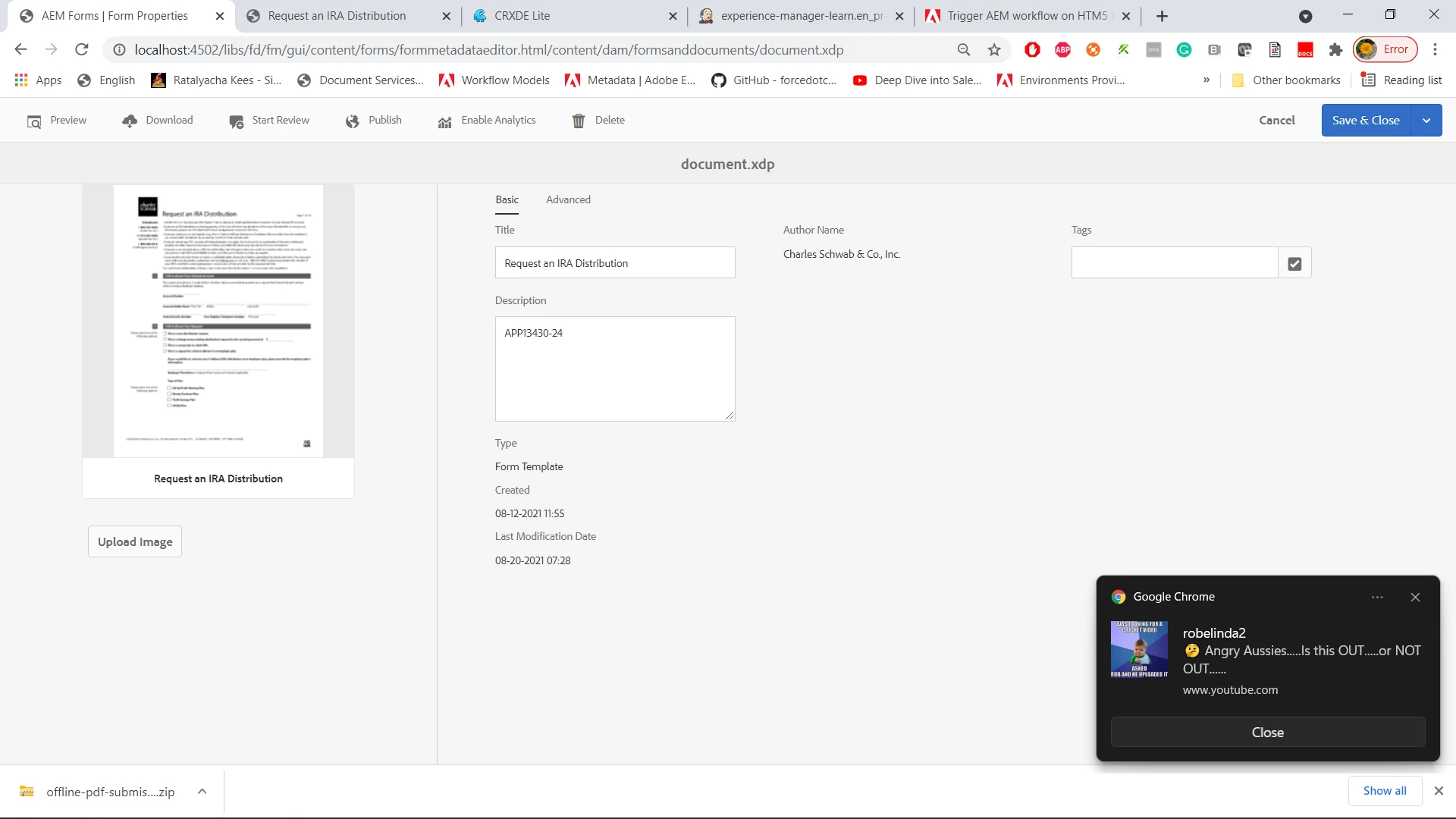
Easiest way is to make sure your xdp template has Title defined. Once you import the xdp into AEM Form, select the XDP template and open its properties tab and make sure there is a value in the title field as shown in this screenshot. then when you render the xdp you will see the title instead of the default LC  Forms.


6 replies

Level 8
Aug 20, 2021 1:43 PM UTC

I will send you something shortly

Translate
workflowuserAccepted solution
Employee
Aug 20, 2021 2:35 PM UTC

Easiest way is to make sure your xdp template has Title defined. Once you import the xdp into AEM Form, select the XDP template and open its properties tab and make sure there is a value in the title field as shown in this screenshot. then when you render the xdp you will see the title instead of the default LC  Forms.


Translate
AmiAdobeAuthor
Level 2
Aug 20, 2021 4:09 PM UTC

Thank you for the reply. I've already done this, but doesn't work.


I mean when i load the page in a browser: the browser title page says "LC Forms"

Translate