Content is not shown with acrobat reader | Community
Skip to main content
October 24, 2011
Solved

Content is not shown with acrobat reader

  • October 24, 2011
  • 11 replies
  • 15372 views

Hi,

I created a simple form with Livescycle and even if when i look at the PDF with adobe reader, i can see enought privilege, i cannot really save the content.

Basically, i can open the PDF, fill the fields, save the document but when i reopen the document afterward, the content has disapeared. If i look at the same PDF with notepad, i can see the values next to the field but the values are not visible anymore in the reader.

You can download the file from that location :

http://ge.tt/99qsN79?c

I have tried a lot of thing before to take the decision to post a message here but despite my efforts, i am not able to figure out where is the problem.

Thanks in advance for your help....

Regards,

Johnny B

This post is no longer active and is closed to new replies. Need help? Start a new post to ask your question.
Best answer by Niall_O_Donovan

Hi Johnny,

If you open the form in Acrobat (not Reader or any third party viewer), then you can test to see if the form is Reader Enabled.

  1. Open the form in Acrobat.
  2. Open the JavaScript Console (Control+J).
  3. Paste this into the console and hit Control+Enter to run it: appRightsValidate({}, 2, true);
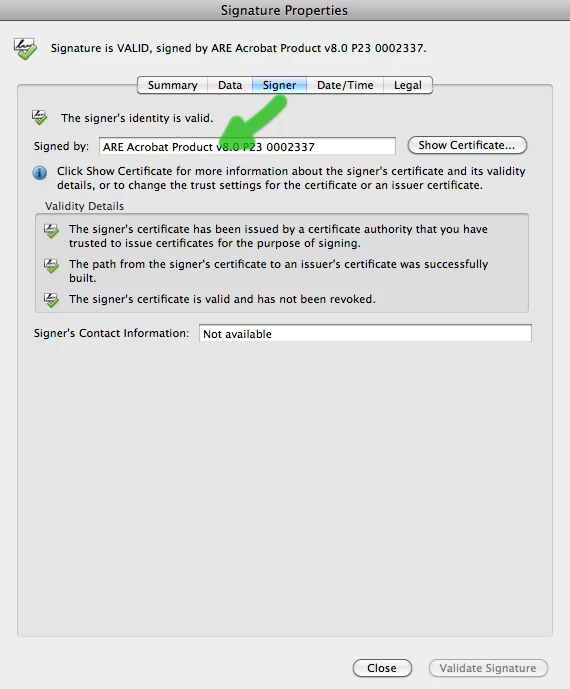
  4. If it returns the signature properties, then the form is Reader Enabled.
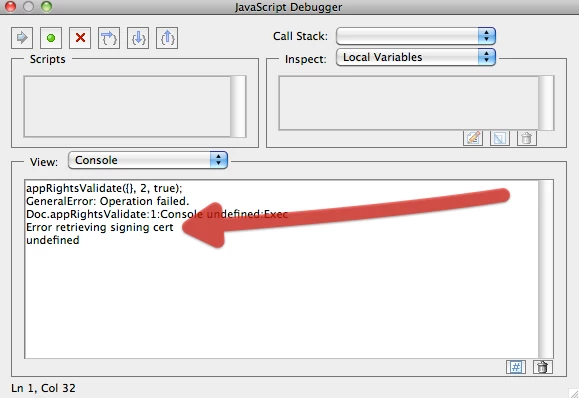
  5. Otherwise, if it returns an error, the form is not Reader Enabled.

Your form does not appear to be available on Ge.TT, so I can't test. I suspect that your form IS Reader Enabled, but that the use of viewers other than Acrobat or Adobe Reader is adversely affecting the data.

Form is Reader Enabled:

Form is NOT Reader Enabled:

You can get details about testing a form here: http://learn.adobe.com/wiki/download/attachments/64389123/LiveCycleReaderEnabledDocs.pdf?version=1&modificationDate=1285636868000.

Hope that helps,

Niall

11 replies

Niall_O_Donovan
New Participant
October 24, 2011

Hi,

The issue is that you have not Reader Enabled the form. This means that while the form can be opened in Adobe Reader, the data inputted is not saved.

You will see a summary of the options for deploying a form here, together with the functionality that is either available or not available, depending on your choices before you send out the form:

http://assure.ly/etkFNU.

You can apply Reader rights in two ways:

  1. Using Acrobat Standard (v9 or later) or Acrobat Professional (v7 and v8). There are licensing restrictions.
  2. Using the server component LiveCycle Reader Extensions ES2.5.

Hope that helps,

Niall