Customize Error Alert when the size exceeds the permissible limit in AEM forms file Attachment | Community
Skip to main content
New Participant
May 17, 2023
Solved

Customize Error Alert when the size exceeds the permissible limit in AEM forms file Attachment

  • May 17, 2023
  • 1 reply
  • 592 views

Hi All,


We are using File Attachment Component and have configured the maximum size of 1MB for an attachment.


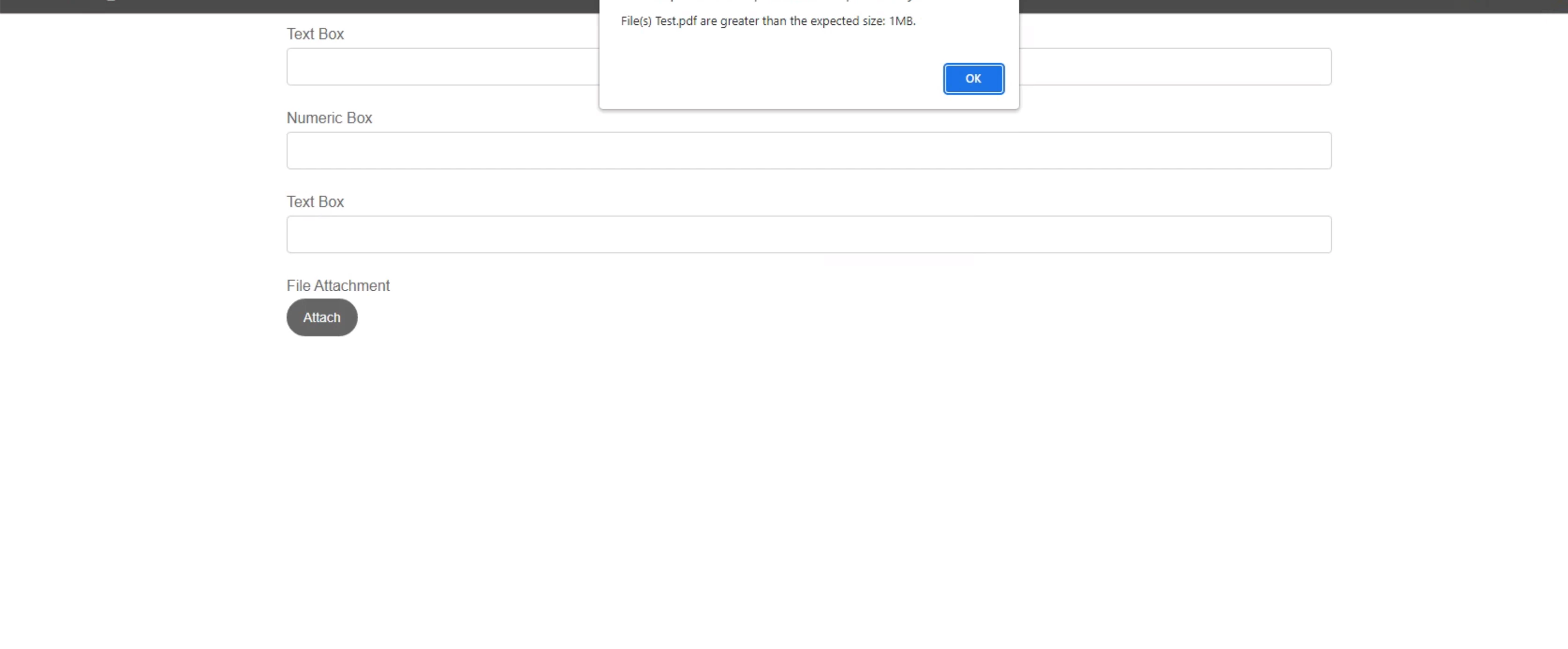
The alert provided is OOTB when the size of the file exceeds 1 MB.

How can we restrict the Alert from coming and customize to our error Message.


This js is called ootb and we need to restrict it.


Thanks

This post is no longer active and is closed to new replies. Need help? Start a new post to ask your question.
Best answer by SivakumarKanoori

@sb2512 :

You can check in the below file and change the error message . This message is under i18n and it is language specific for different countries. 

you can change this under en_Us and you can see the change in the alert message.


/libs/fd/xfaforms/clientlibs/I18N/en_US/I18N.js 

"FileSizeGreater" : "Files {0} are greater than the expected size: {1}MB.",

{0} : will be replcaed by the name of the file which you uploaded.

{1} : will be replaced by the max file size limit you configured.


if it didnot work, check if you have done any overlay of these files under /apps/fd/xfaforms/clientlibs/I18N/. if yes, you need to make changes under /apps/.


which i have already tested and working fine. if there is any issue let me know.


Thanks ,

Siva


1 reply

SivakumarKanoori
SivakumarKanooriAccepted solution
New Participant
August 1, 2023

@sb2512 :

You can check in the below file and change the error message . This message is under i18n and it is language specific for different countries. 

you can change this under en_Us and you can see the change in the alert message.


/libs/fd/xfaforms/clientlibs/I18N/en_US/I18N.js 

"FileSizeGreater" : "Files {0} are greater than the expected size: {1}MB.",

{0} : will be replcaed by the name of the file which you uploaded.

{1} : will be replaced by the max file size limit you configured.


if it didnot work, check if you have done any overlay of these files under /apps/fd/xfaforms/clientlibs/I18N/. if yes, you need to make changes under /apps/.


which i have already tested and working fine. if there is any issue let me know.


Thanks ,

Siva


Thanks,Siva