Date Picker not setting to current date | Community
Skip to main content
New Participant
May 19, 2018
Solved

Date Picker not setting to current date

  • May 19, 2018
  • 2 replies
  • 2075 views

Hello all,

             I am facing an issue with Date field in my form. I am using the AEM 6.2 version. I have a date field and it has to current date when the form initialize.

I tried in two ways like below

After running this I didn't get the current date on the field. Anyone can help me on this. Please find the output like below
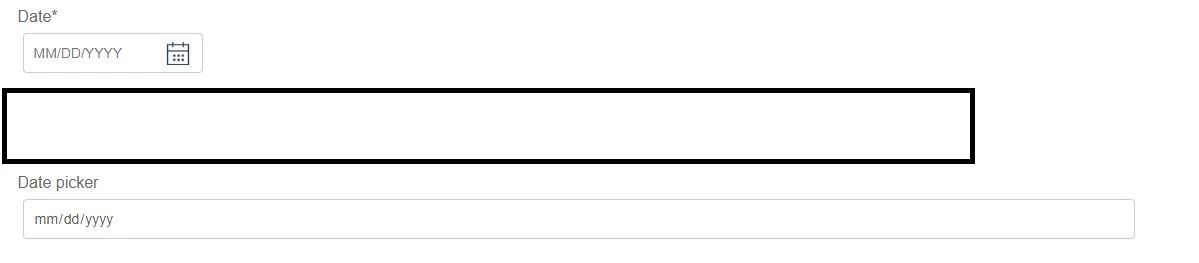
It was showing only the placeholder but not the current date.

Thanks in advance.
This post is no longer active and is closed to new replies. Need help? Start a new post to ask your question.
Best answer by Mayank_Gandhi

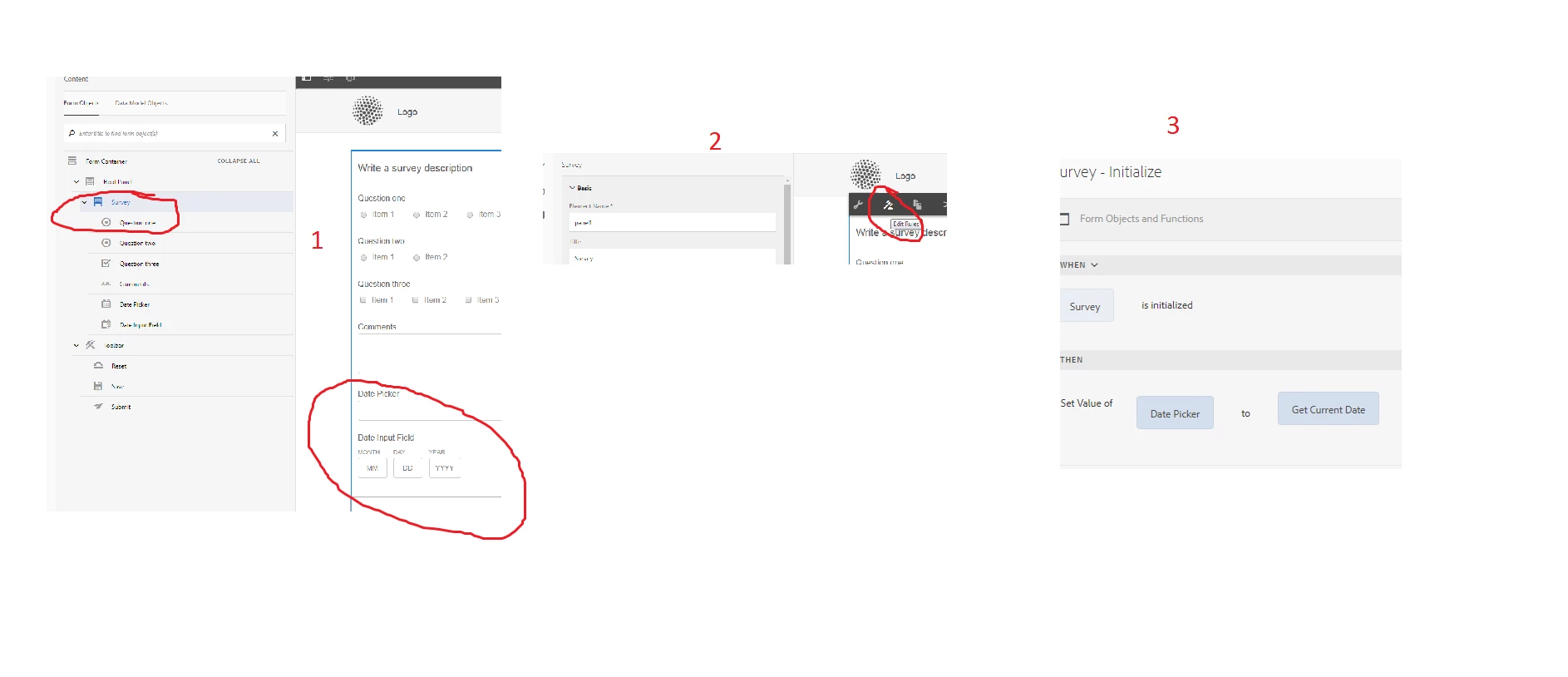
Try putting the script on the panel initialize as shown below :

2 replies

Mayank_Gandhi
Employee
June 27, 2018

Did you get this working, Jaswanth? Let us know if you need any help further.

Mayank_Gandhi
Mayank_GandhiAccepted solution
Employee
May 30, 2018

Try putting the script on the panel initialize as shown below :
