error "Resource /aem/.1.json not found" when trying to create AEM Form | Community
Skip to main content
Level 3
Nov 1, 2017 7:14 PM UTC
Solved

error "Resource /aem/.1.json not found" when trying to create AEM Form

Running AEM 6.2 CFP7 with geometrixx sample content, AEM-FORMS-6.2-SP1-CFP7-WIN-3.2.124 and AEM-FORMS-6.2-GOV-REF-SITE-3.0.14.

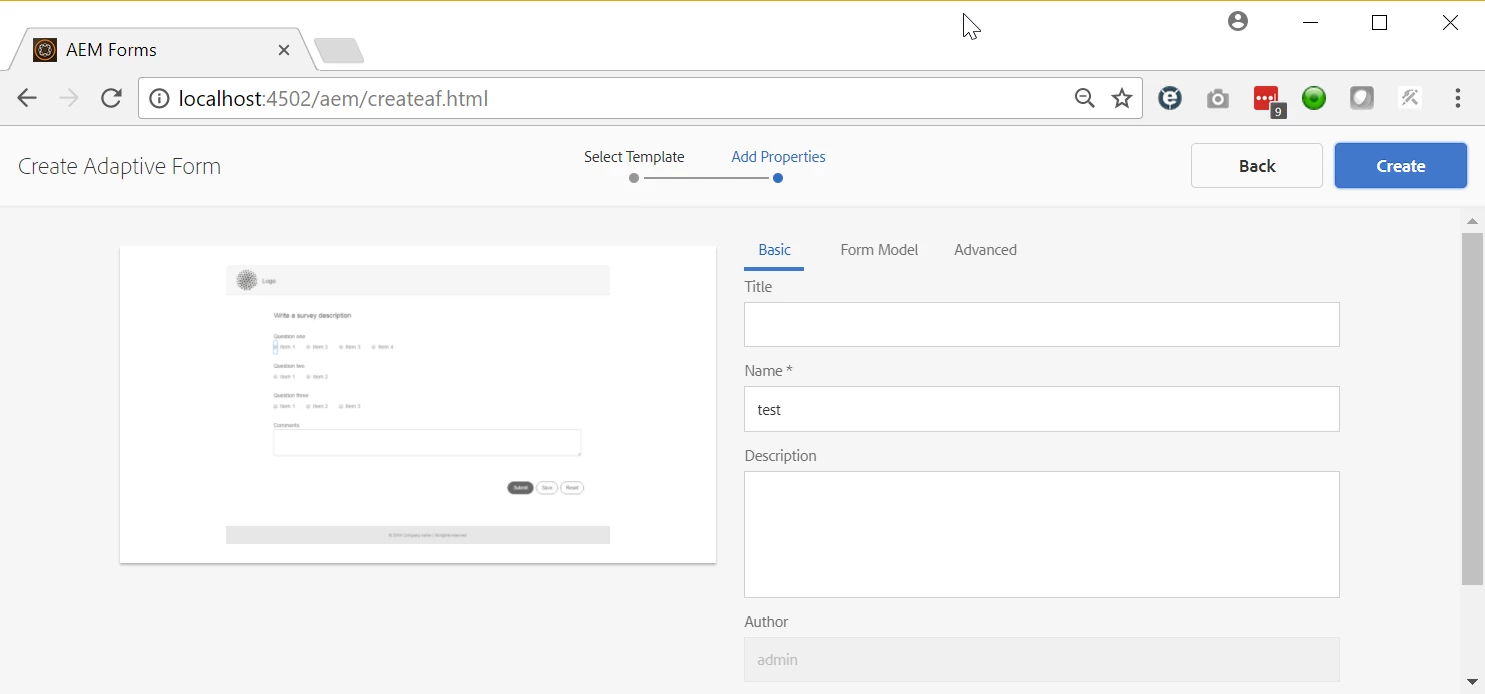
When I click the "Create" button for an Adaptive Form, nothing happens in the browser, and the error below shows up in the error.log.

What could cause this?

01.11.2017 12:06:30.703 *INFO* [0:0:0:0:0:0:0:1 [1509563190702] GET /aem/.1.json HTTP/1.1] org.apache.sling.engine.impl.SlingRequestProcessorImpl service: Resource /aem/.1.json not found

Here's the screen where this happens (clicking the blue Create button):
This post is no longer active and is closed to new replies. Need help? Start a new post to ask your question.
alexr21Accepted solution
Level 3
Nov 2, 2017 5:30 PM UTC

After extensive testing with several people, I've been able to determine that the problem is browser-related.

The issue is correlated to the browser used, regardless of what server platform AEM is deployed on:

1) Chrome, Firefox, or Edge on Windows, same problem.

2) AEM on a Linux server or a Windows server, browser on Windows, same problem.

3) Chrome browser on MacOS, or Internet Explorer on Windows = NO PROBLEM!

We have a ticket opened in Daycare.

13 replies

Mayank_Gandhi
Employee
Jun 26, 2018 5:02 PM UTC

Please elaborate the issue you are facing along with the environment details. Also, confirm if the forms add-on package has been installed on the system?

Translate
smacdonald2008
Level 10
Jun 19, 2018 2:50 PM UTC

AEM Support can provide information about this.

Translate
fabianh12876403
Level 2
Jun 19, 2018 2:48 PM UTC

I have the same Problem in AEM 6.4. Why is this issue still not fixed?

Translate
alexr21Author
Level 3
Feb 1, 2018 1:15 AM UTC

Daycare eventually tracked down the issue on this. It was a result of bad interactions between AEM, a modern browser, and the touchscreen API on Windows 10 laptops. A workaround for Chrome is to turn off the touchscreen API.

Translate
smacdonald2008
Level 10
Nov 8, 2017 9:58 PM UTC

Thanks for posting

Translate
alexr21AuthorAccepted solution
Level 3
Nov 2, 2017 5:30 PM UTC

After extensive testing with several people, I've been able to determine that the problem is browser-related.

The issue is correlated to the browser used, regardless of what server platform AEM is deployed on:

1) Chrome, Firefox, or Edge on Windows, same problem.

2) AEM on a Linux server or a Windows server, browser on Windows, same problem.

3) Chrome browser on MacOS, or Internet Explorer on Windows = NO PROBLEM!

We have a ticket opened in Daycare.

Translate
alexr21Author
Level 3
Nov 1, 2017 11:54 PM UTC

Here's a 3-minute video showing all my steps on a fresh instance of AEM 6.2 (edited to reduce AEM start-up time):

.

Translate
alexr21Author
Level 3
Nov 1, 2017 10:08 PM UTC

Hi Scott, my colleague was able to get this working on an instance with SP1, CFP3, ACS3.9, without the Forms Add-On. I'm now going to try to replicate this exact combination. The only remaining difference would be that I'm on Windows while he is on MacOS.

Translate
smacdonald2008
Level 10
Nov 1, 2017 8:47 PM UTC

There is an issue with your instance. To see this work the way its suppose to work - try on a fresh instance. Copy the Qucik Start JAR to a new folder and start again. Then try again - to see it working successfully.

For you current AEM Server - looks like you loaded a package that is causing an issue.

Translate
alexr21Author
Level 3
Nov 1, 2017 8:37 PM UTC

Hi again Scott,

I tried the article you suggested - https://helpx.adobe.com/experience-manager/using/posting-aem

Unfortunately the steps are the same as what I was trying. Specifically I'm stuck in the "click Create" sub-step of Step 5:

chrome_2017-11-01_13-34-45.png

Translate