Form editor - Invoke service dropdown does not list services from my Form Data Model | Community
Skip to main content
JiriFKovarik
New Participant
April 16, 2020
Solved

Form editor - Invoke service dropdown does not list services from my Form Data Model

Hello,

i've created an AEM 6.4 form based on my custom Form Data Model - which exposes two services. I can teste these two services in the FDM definition UI and both return success. In a Form Editor window, i want to create a rule that invokes one of these services, so for then i select Invoke Service option and a dropdown with available services is rendered for me - but none of my services appear in an Invoke Service dropdown. The only service available seems to be a sample AEM forms service called "Get location by zip code".
By inspecting where the list of available services come from i found following XHR call:
/content/forms/af/sample2/jcr:content/guideContainer.af.dermis?functionToExecute=getAllServices which returns only one sample service: 


{ others: { title: "Others", items: [ { id: "/apps/aemforms-fragment-commons/preconfiguredWebServices/getLocationByZip", jcr:title: "Get location by zip code", url: "http://wsf.cdyne.com/weatherws/weather.asmx?wsdl", operation: "GetCityForecastByZIP", input: { id: "/apps/aemforms-fragment-commons/preconfiguredWebServices/getLocationByZip/input", zip: { id: "ZIP" } } } ] } }


 Any idea how to get my services listed?

This post is no longer active and is closed to new replies. Need help? Start a new post to ask your question.
Mayank_Gandhi
Mayank_GandhiAccepted solution
Employee
April 27, 2020


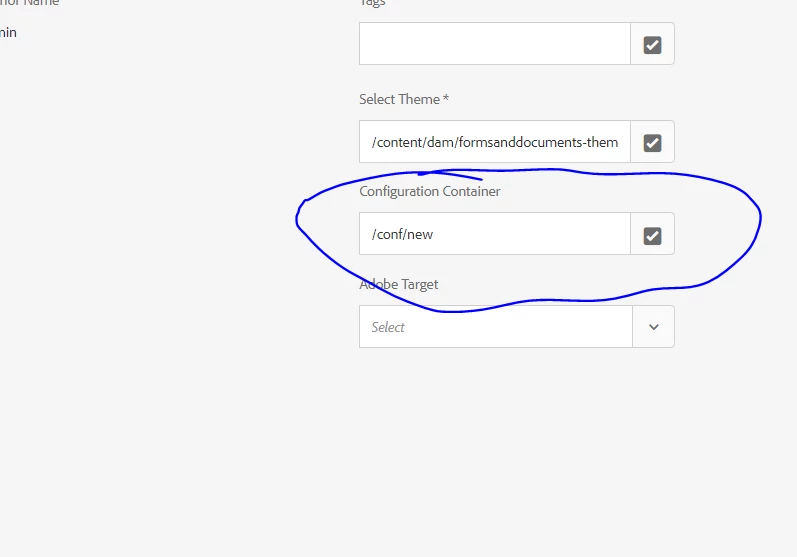
make sure the service folder is correctly mapped to the form properties.


11 replies

Mayank_Gandhi
Employee
May 20, 2021

@nina_carty Difficult to comment without seeing a screenshot of the service URL and rule editor mapping.  Share more details on what you have implemented.

Translate
Nina_Carty
Level 3
May 20, 2021

Hi. Thanks for answering. I was able to work with Girish Bedekar and verify that my procedure was correct. I also discovered later that this is functioning correctly in my local environment with the same datasource. I am using SQL Server.

When setting up the rule and trying to get the Services to pull down, the pull down is blank.


Here is the same from my local.


Translate
Mayank_Gandhi
Mayank_GandhiAccepted solution
Employee
April 27, 2020


make sure the service folder is correctly mapped to the form properties.


Translate
Mayank_Gandhi
Employee
April 16, 2020

@jirifkovarik  This should work. what kind of FDM is it?

Translate
JiriFKovarik
New Participant
April 17, 2020
It's a RESTful service Datasource Type.
Translate