Forms custom submit button occasional failures
Using AEM 6.5 SP11 or SP15 (same behavior).
I have inherited support for an existing solution utilizing Forms Workspace. Probably greater than 99% of production volume works fine, but we get a handful of processes in a 'stalled' status every day. Utilizing ADMINUI, I have, after a few years of folks ignoring it, started examining specific attributes of these processes. Although there are a few scenarios that can lead to stalled processes, there are mostly these two types of errors, that I was able to trace back to a specific scenario that I can duplicate in a development environment.
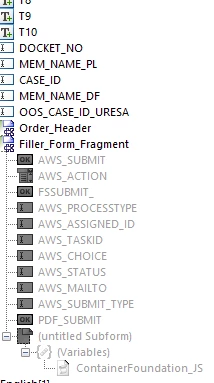
Specifically, in this solution, the the form is displayed to the end user. It has some user-editable fields. On some forms, these fields are optionally updated, on other forms there are fields that must be filled out before the user can save the form. Once the user has reviewed the form, there are four "Choice" buttons at the bottom. These are added as a fragment into the form code via Forms Workbench.

They do pretty much like what you would expect. Delete makes the form go away. Keep in queue basically saves all the edits, and invokes some workflow and the form is saved back as a new copy in the user's todo queue. Print Single-Sided or Print-Duplex essentially do the same thing from the user perspective, that is, a printer dialogue box opens in the browser and the user must select a destination printer or hit cancel. Under the hood, there are some formatting tweaks depending on which option is selected, and then it is sent off platform for another server to render into a PDF and store to their "Imaging" solution.
The two types of errors noted at times when this processing goes awry are these:
javax.ejb.EJBTransactionRolledbackException: com.adobe.idp.dsc.util.InvalidCoercionException: Cannot coerce object:
com.adobe.livecycle.formsservice.exception.RenderFormException: xmldata: Content is not allowed in prolog., cause: org.xml.sax.SAXParseException- Content is not allowed in prolog.
After logging data around a few dozen of these over a month or so, I began to see some patterns. Example: User X submits 5 forms in 3-4 minutes and 4 stall with one of the above errors, and user Y does the same thing and gets the other error. Most of the errors are one-off, random form, random user, etc. But there were a few where we could see that one user did something that caused this to happen.
With this observation, I went back to lower environment and tested. One thing I did was to click "Print Single-Sided" and let the printer dialog box go to the background instead of selecting a printer.
The UI lets me click on the next form in my queue, but I notice that it does not fully render. However, the buttons are immediately available. And when I click Print Single-sided or Duplex, I get the InvalidCoercionException, and when I click Keep in Queue, I get the SAXParseException.
Users who do not need to change the text in a form may well get in a hurry and do exactly as I did, open a form, click the button, open the next form, click the button, etc., etc., clearing the queue quickly. They may not even realize that the dialogue box in windows is hidden in the background waiting their selection till later.
I doubt that all of the errors observed are users doing exactly what I did, but some are. And I believe that the underlying cause has to do with the submit buttons being available even though the form is not fully rendered. In prod, only errors are added to the log, but in Dev, I note that the filler fragment logs this warning: 11:25:57,004 WARN [com.adobe.document.XMLFormService] (p: default-threadpool; w: Idle) ALC-XTG-032-275: [8428] Error: AWS_CHOICE is undefined
And this goes into the area of code specifically where the fragment is choosing between the action to take depending on which button the user chooses.
---
1. Is there a way to suppress the buttons if the form itself is not fully rendered in the queue?
2. Is there a fault in our code that allows these buttons to work even if the prior action never completed? Or a bug in AEM that would allow this scenario to occur?
3. Or??? What other avenues to go down?
I am no Adobe expert but I am learning more by the day. Just trying to sort out where to look.