How can we stop submission of form when error alert is pop up while submitting form | Community
Skip to main content
New Participant
September 8, 2023
Solved

How can we stop submission of form when error alert is pop up while submitting form

  • September 8, 2023
  • 2 replies
  • 779 views

Hi,

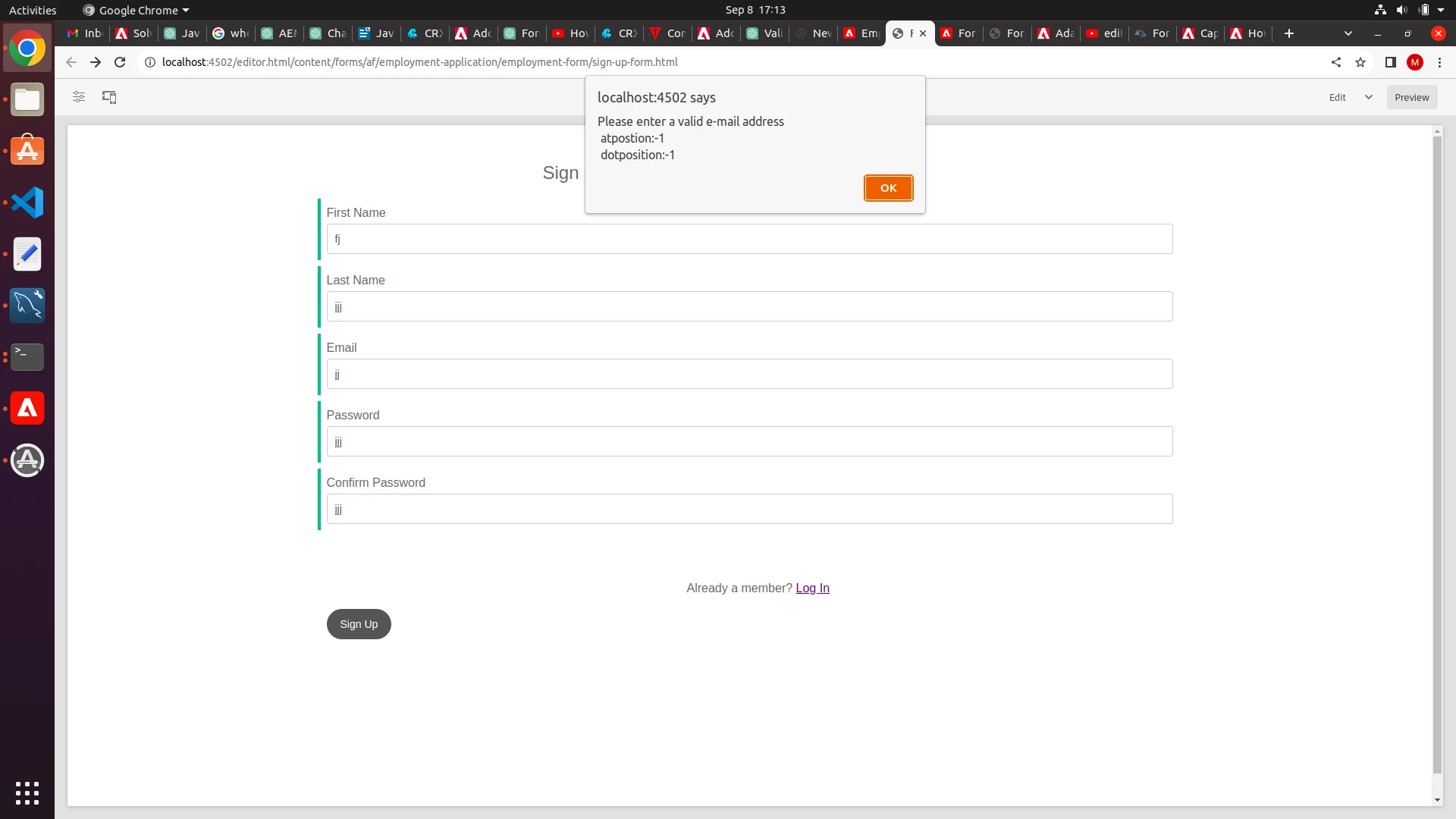
I have created one signup form and added validations.When those validations fails the error comes in alert form but as soon as i click on okay of pop up error the form gets submitted.  I have added custom functions under edit rules can any one please tell how can i stop the submission of form while error pop up. The code and  images below:

js code :

function finalValidate(first_name,email,password,confirmPassword){

// Simple validation checks
if (first_name === '') {
alert('Name is required.');
return;
}

if (email === '') {
alert('Email is required.');
return;
}

if (email != null) {
var x= email;
var atposition=x.indexOf("@");
var dotposition=x.lastIndexOf(".");
if (atposition<1 || dotposition<atposition+2 || dotposition+2>=x.length){
alert("Please enter a valid e-mail address \n atpostion:"+atposition+"\n dotposition:"+dotposition);
return;
}

if (password === '') {
alert('Password is required.');
return;
}

if (password !== confirmPassword) {
alert('Passwords do not match.');
return;
}
alert('Form submitted successfully.');

}
}


Edit rules
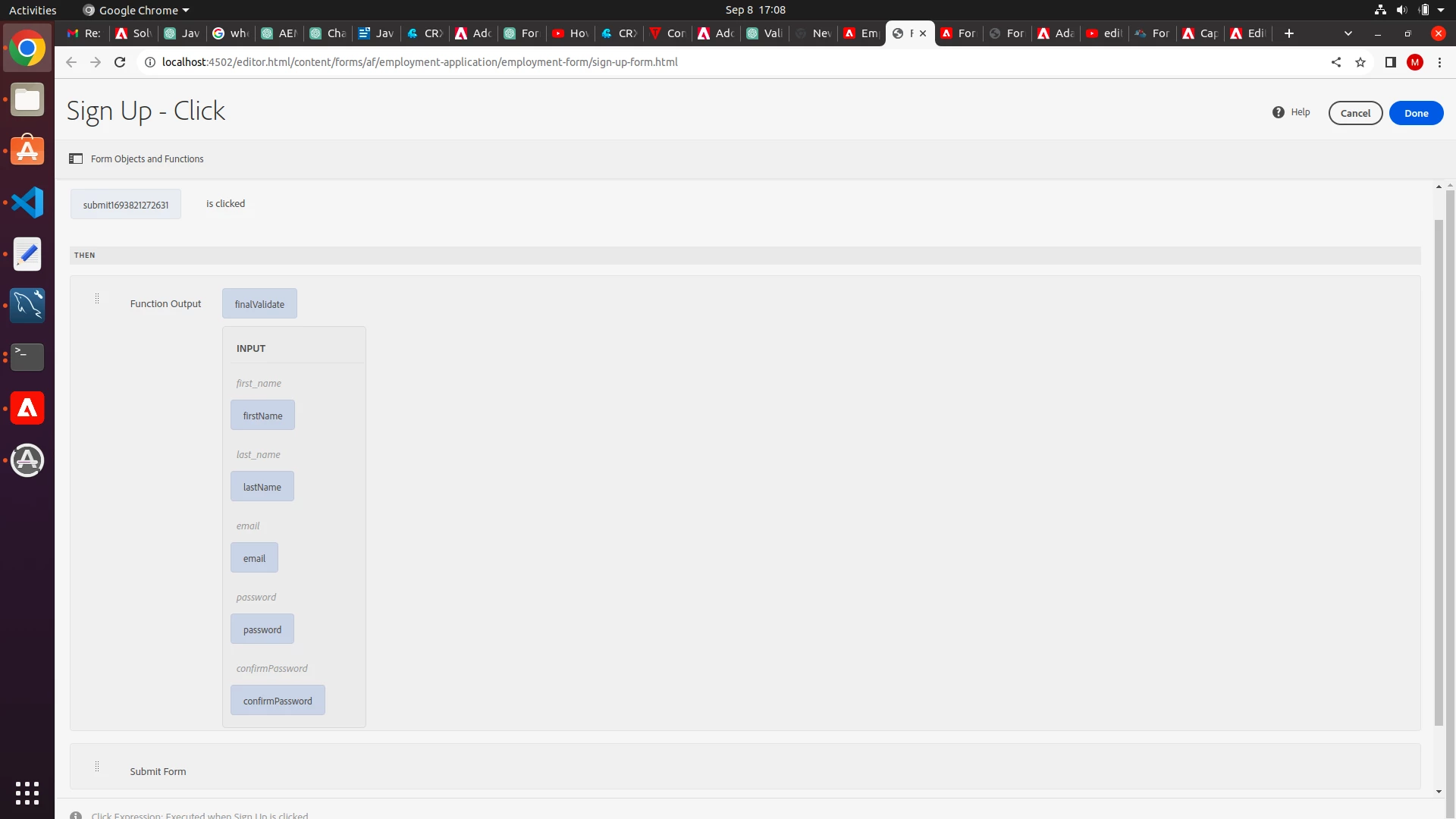


As soon as i click on OK the form gets submitted :
 

This post is no longer active and is closed to new replies. Need help? Start a new post to ask your question.
Best answer by sudhansh

The validation expression [1] needs to return false if the required condition is not met, and true otherwise. Based on the condition - the field is marked as valid/invalid. When the Form is submitted - it automatically would focus on the required field, and a validation error message would be shown for the field.

In case of multiple errors in the form - the error is marked for all the relevant fields, but the focus is set to the first field with the error.


[1] https://experienceleague.adobe.com/docs/experience-manager-65/forms/adaptive-forms-advanced-authoring/adaptive-form-expressions.html?lang=en#validate-expression

2 replies

Vijay_Katoch
New Participant
September 11, 2023

Instead of return while validation failed, set the focus on the failed field on the form.

MunmunBoAuthor
New Participant
September 10, 2023

Can anyone answer?

sudhansh
sudhanshAccepted solution
Employee
September 15, 2023

The validation expression [1] needs to return false if the required condition is not met, and true otherwise. Based on the condition - the field is marked as valid/invalid. When the Form is submitted - it automatically would focus on the required field, and a validation error message would be shown for the field.

In case of multiple errors in the form - the error is marked for all the relevant fields, but the focus is set to the first field with the error.


[1] https://experienceleague.adobe.com/docs/experience-manager-65/forms/adaptive-forms-advanced-authoring/adaptive-form-expressions.html?lang=en#validate-expression