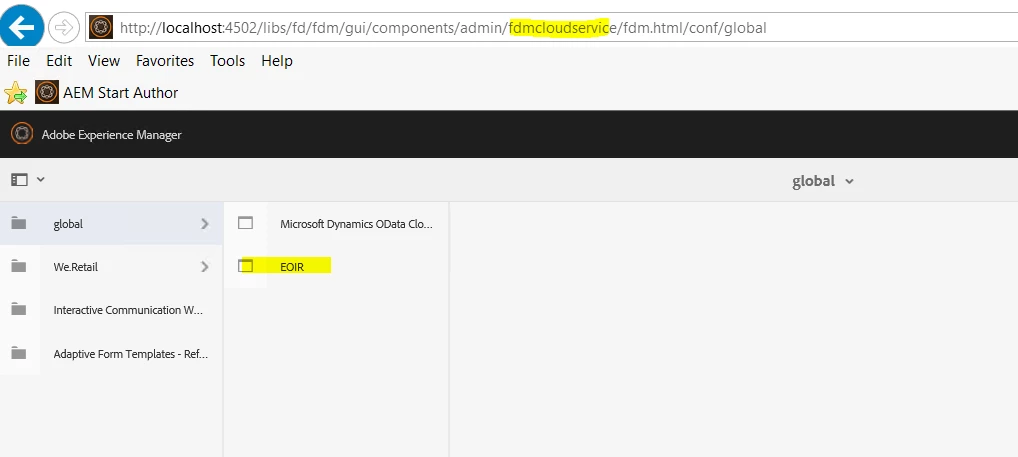
how to delete cloud configuration | Community
Skip to main content
This post is no longer active and is closed to new replies. Need help? Start a new post to ask your question.
Best answer by workflowuser

You can go to crx and delete it from there

they are typically under conf folder

7 replies

Mayank_Gandhi
Employee
July 25, 2019

For 6.3 and below you can go to miscadmin and delete the config under the respective node. The recommended way to go about this.

ayecona
ayeconaAuthor
New Participant
July 25, 2019

thank you workflowuser

workflowuserAccepted solution
Employee
July 25, 2019

You can go to crx and delete it from there

they are typically under conf folder

ayecona
ayeconaAuthor
New Participant
July 25, 2019

@Balaji_V this is not a creative cloud installation, this is an OData data source under global configuration

ayecona
ayeconaAuthor
New Participant
July 25, 2019

workflowuser am not using it, I created it for testing but I need to delete it.

Employee
July 25, 2019

I do not think you can delete it because if it is used elsewhere you will have unpredictable behavior

Balaji_V
New Participant
July 25, 2019

Hi Ayecona,

The below thread links might help you :

how i can delete free creative cloud?

Thanks,

Balaji