How to hide AEM HTML Workspace forms in the categories section | Community
Skip to main content
New Participant
January 24, 2022
Solved

How to hide AEM HTML Workspace forms in the categories section

  • January 24, 2022
  • 1 reply
  • 534 views

Hi Experts,


Please suggest me how to hide AEM HTML workspace forms to all users except certain user group from the categories section. 

What I did is,

    I have created user group and added under Security -- > Add Principal (selected Invoke_Perm) but still other users are also able to view the forms. Please let me know any other configuration I have to enable/disable?


Regards,

Srujan
This post is no longer active and is closed to new replies. Need help? Start a new post to ask your question.
Best answer by Mayank_Tiwari

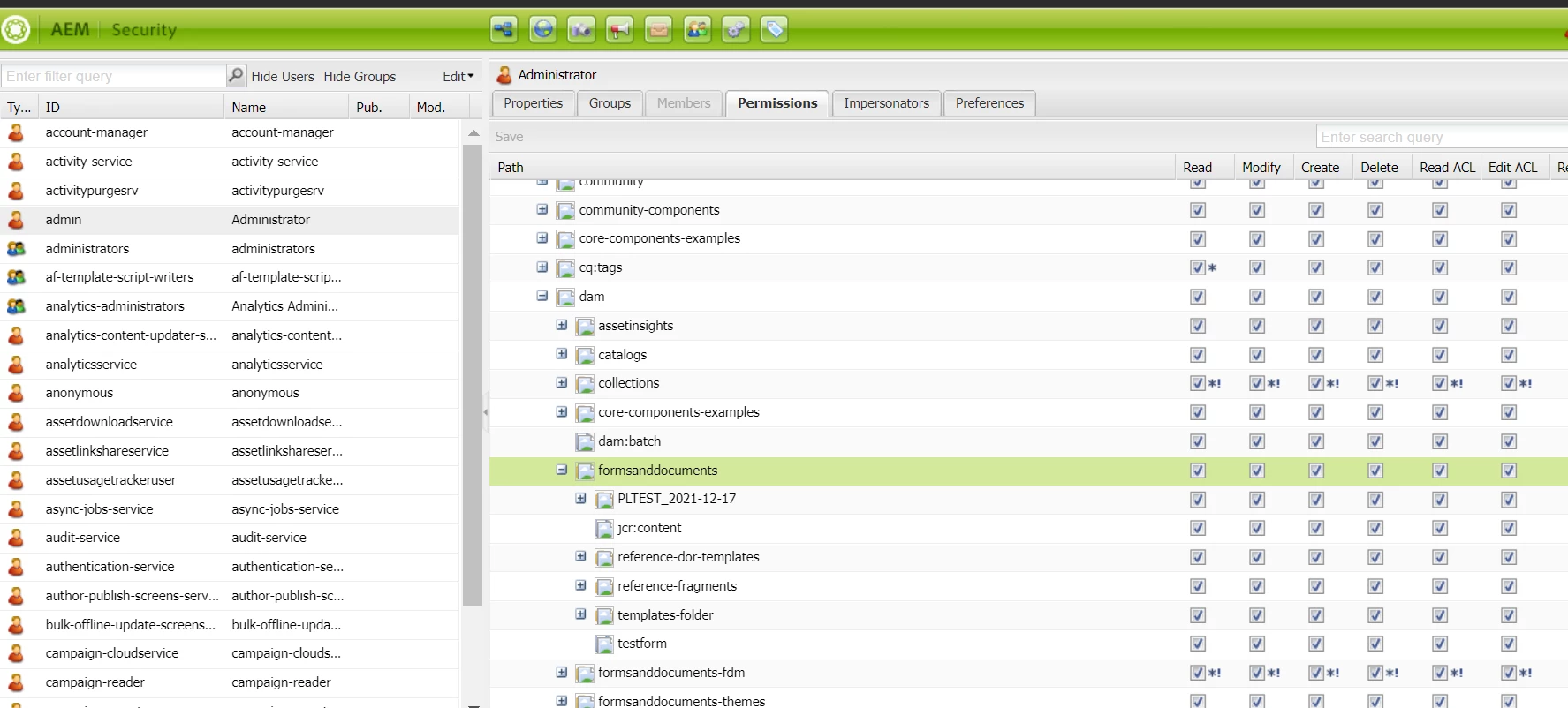
Have you tried using http://serverhost:port/lc/useradmin  to change the permission for the users and groups on the form's location, from the permission tab, as shown below:


1 reply

Mayank_Tiwari
Mayank_TiwariAccepted solution
Employee
January 26, 2022

Have you tried using http://serverhost:port/lc/useradmin  to change the permission for the users and groups on the form's location, from the permission tab, as shown below: