How to use multiple form container in AEM sites page | Community
Skip to main content
Level 5
Aug 4, 2023 11:23 AM UTC
Solved

How to use multiple form container in AEM sites page

How to use multiple form container in AEM sites page
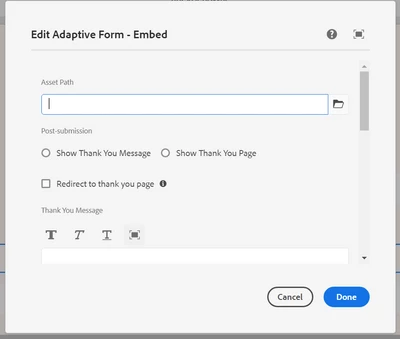
I'm using Adaptive Forms - Embed(v2) , whenever i use single form in page it works fine, But if i add second form in same page, 2nd form's clientlibs itself is not calling.

I tried 2 ways, I have combined the both clientlibs to single clientlibs and calling the method accordingly. I have tried different clientlibs for each form. But both the ways 2nd form's clientlib is not accessible i tried with debugger also.


Thanks in advance

This post is no longer active and is closed to new replies. Need help? Start a new post to ask your question.
Vijay_Katoch
Vijay_KatochAccepted solution
New Participant
Aug 7, 2023 9:25 AM UTC

To add more Adaptive Forms using the Adaptive Forms - Embed component, select Form covers entire width of the frame option


check if this option selected.


https://experienceleague.adobe.com/docs/experience-manager-cloud-service/content/forms/integrate/services/embed-adaptive-form-aem-sites.html?lang=en#embed-an-adaptive-form-in-sites-editor


2 replies

Vijay_Katoch
Vijay_KatochAccepted solution
New Participant
Aug 7, 2023 9:25 AM UTC

To add more Adaptive Forms using the Adaptive Forms - Embed component, select Form covers entire width of the frame option


check if this option selected.


https://experienceleague.adobe.com/docs/experience-manager-cloud-service/content/forms/integrate/services/embed-adaptive-form-aem-sites.html?lang=en#embed-an-adaptive-form-in-sites-editor


Translate
aravindSAuthor
Level 5
Aug 7, 2023 10:31 AM UTC

Hi Vijay,

Thank you for your reply, i found the solution. (checkbox in dialog).

Translate