Positioning problem when using flowed subform... | Community
Skip to main content
Syrax12
New Participant
November 6, 2012
Solved

Positioning problem when using flowed subform...

  • November 6, 2012
  • 6 replies
  • 4435 views

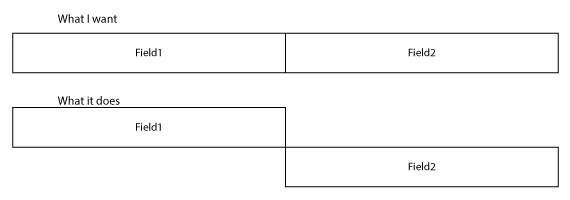
Is there no way to position two fields to be horizontally aligned when using a flowed subform? See example below. Thanks!
This post is no longer active and is closed to new replies. Need help? Start a new post to ask your question.
Best answer by radzmar

Hi,

I made some changes to your form.

All parts for proof 1-4 are now wrapped in separate subforms and sourrounded by a flowed subform.

https://acrobat.com/?d=-MxsGNP*ZsqZmPLbWPTG6w

6 replies

Syrax12
Syrax12Author
New Participant
November 7, 2012

Thats kind of what I thought I needed to do, but my initial experiment wan't sucessful, so I gave up. Makes perfect sense! Thanks!!

radzmar
radzmarAccepted solution
New Participant
November 7, 2012

Hi,

I made some changes to your form.

All parts for proof 1-4 are now wrapped in separate subforms and sourrounded by a flowed subform.

https://acrobat.com/?d=-MxsGNP*ZsqZmPLbWPTG6w

Syrax12
Syrax12Author
New Participant
November 7, 2012

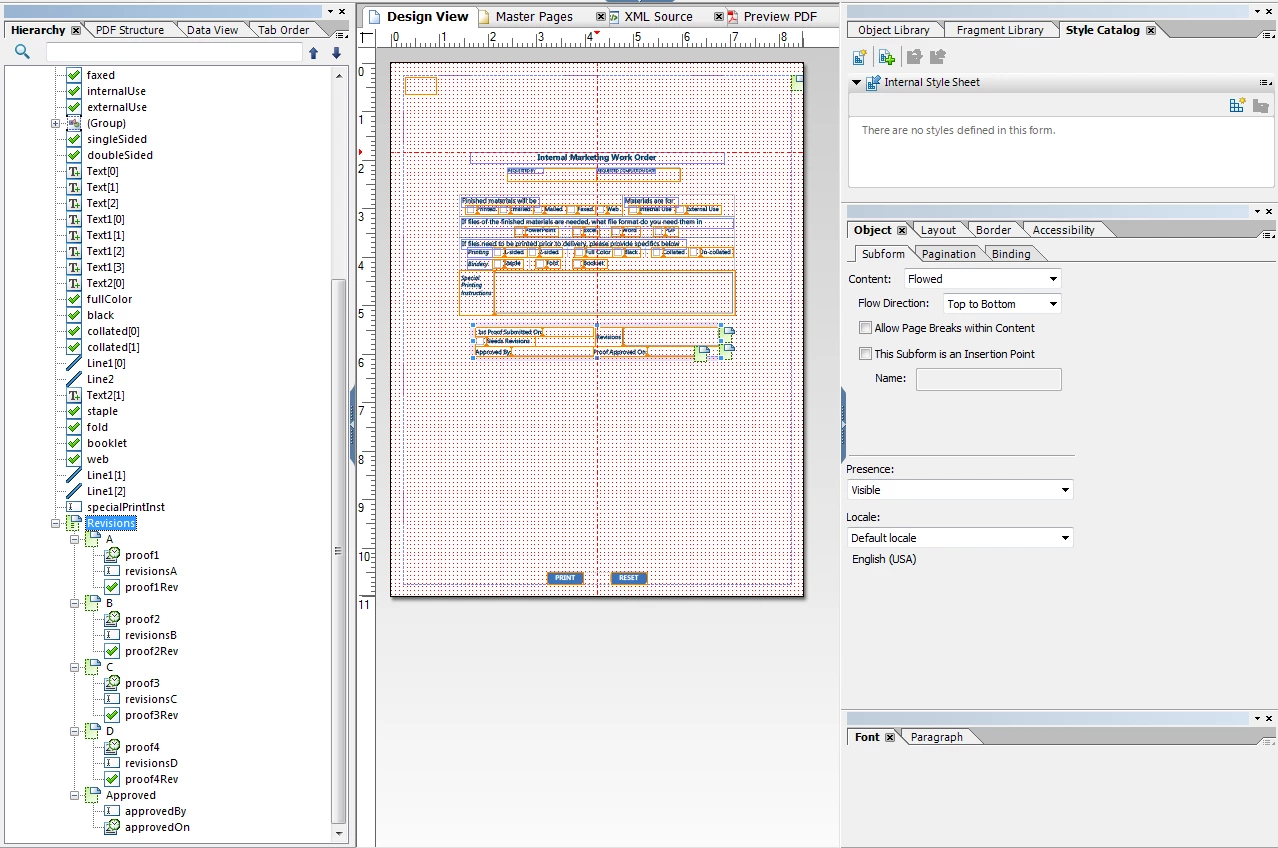
OK, here is the file I'm working on. As you check "Needs Revisions", another area is added underneath. What I want to happen is to have the "Approved By:" and "Proof Approved On:" to be underneath the "Needs Revisions" ad move down as the other boxes are added. Make more sense? Thanks!

radzmar
New Participant
November 6, 2012

Sorry, I don't get it.

Syrax12
Syrax12Author
New Participant
November 6, 2012

This may better represent what I'm looking for. When the check box is clicked, it would unhide a duplicate of the check box, field 1 and field 2, fields 3 & 4 would be pushed to the bottom. I think this diagram may better represent what I'm trying to acomplish. The only reason I feel I need to use a subform is to push down fields 4 & 5 as duplicates are added. Make sense?

radzmar
New Participant
November 6, 2012

Hi,

you can use the flow direction left to right instead of top to bottom.