remove Form Data Model | Community
Skip to main content
This post is no longer active and is closed to new replies. Need help? Start a new post to ask your question.
workflowuserAccepted solution
Employee
Jul 26, 2019 2:26 PM UTC

why not just create new data sources

you cannot delete data sources from the UI and deleting from crx is not recommended

15 replies

ayecona
ayeconaAuthor
Level 5
Jul 26, 2019 3:59 PM UTC

creating a new data source worked I am able to see my values in my forms again thank you

Translate
ayecona
ayeconaAuthor
Level 5
Jul 26, 2019 3:12 PM UTC

the reason I want to do this is because this thread Unable to fetch test data  and I think something got messed up, I will try and create a new one and replace it. will let you know if it works

Translate
Mayank_Gandhi
Employee
Jul 26, 2019 2:52 PM UTC

Even This will not delete the form data model mapped in the form properties. You can select a new one though.

Translate
Employee
Jul 26, 2019 2:40 PM UTC

Translate
Mayank_Gandhi
Employee
Jul 26, 2019 2:32 PM UTC

You do not have an option to delete the FDM from UI

Translate
workflowuserAccepted solution
Employee
Jul 26, 2019 2:26 PM UTC

why not just create new data sources

you cannot delete data sources from the UI and deleting from crx is not recommended

Translate
ayecona
ayeconaAuthor
Level 5
Jul 26, 2019 2:12 PM UTC

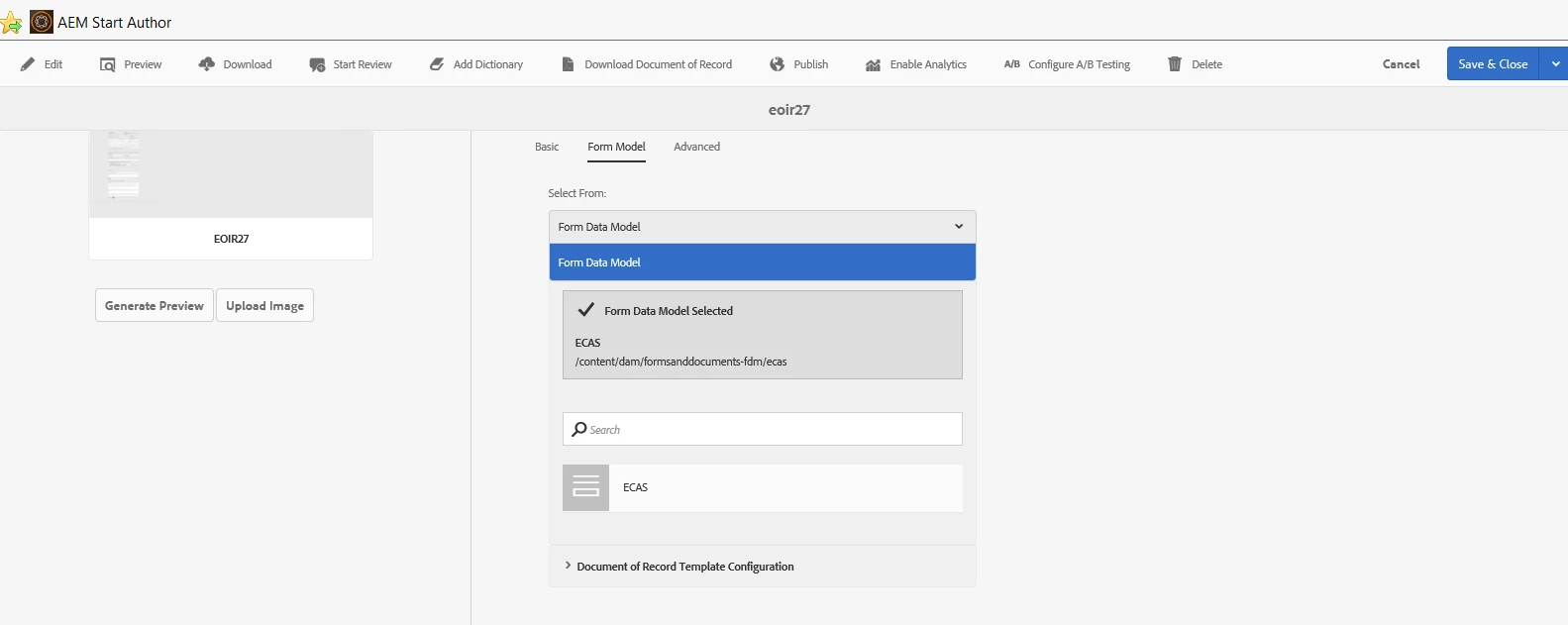
workflowuser​ do you mean this below?

will it then disappear from the forms as their data model?

Translate
Mayank_Gandhi
Employee
Jul 26, 2019 1:53 PM UTC

What if the FDM is associated with multiple forms and the respective FDM was selected in one form by mistake. Deleting the complete FDM would result in more efforts.

Translate
Employee
Jul 26, 2019 1:24 PM UTC

BTW these are not recommended

why not just delete the FDM and create a new one

Translate
Mayank_Gandhi
Employee
Jul 26, 2019 1:23 PM UTC

These are for XSD schema removal so it will be slightly different as there will be form data model for you instead of XSD but the approach remains the same.

Translate