Table rows functionality with passing data and instances | Community
Skip to main content
New Participant
November 10, 2013
Solved

Table rows functionality with passing data and instances

  • November 10, 2013
  • 13 replies
  • 9720 views

My form setup is as follows:

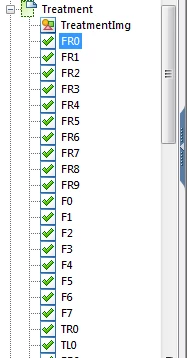
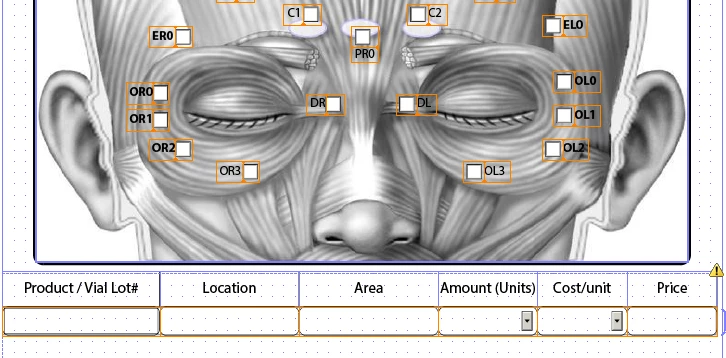
I have several check boxes overlaid on an image. Each box will have several actions associated to it (more on this in a minute).

I have a Table that will take in some data, depending on what check boxes are checked and unchecked.

Several things are happening as follows:

A table is setup with the following headers and respective rows - vial#(txt), location(txt), area(txt), amount(dropdown), price(dropdown), cost(calculated - eval(amount * price)).

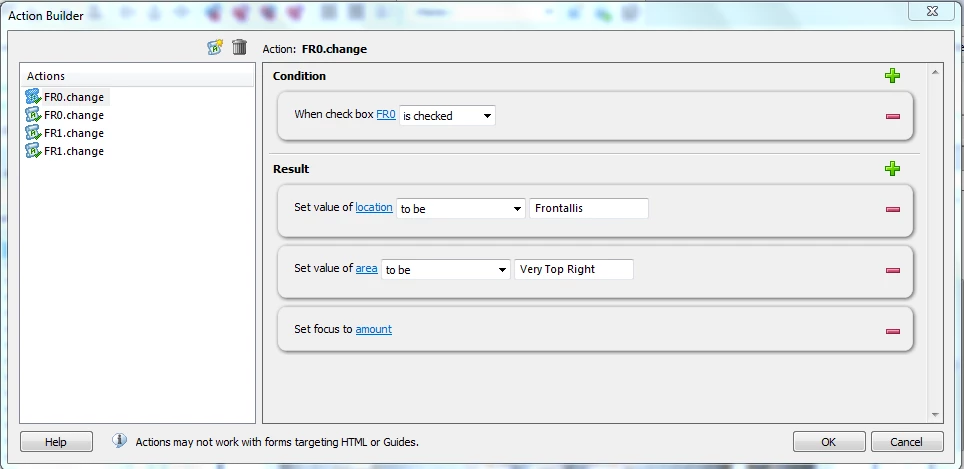
When a check box is selected the following actions ensue:

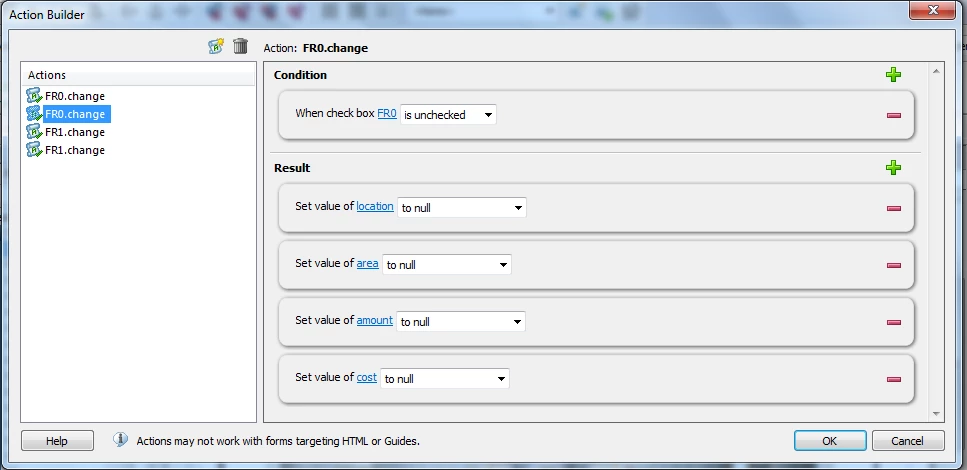
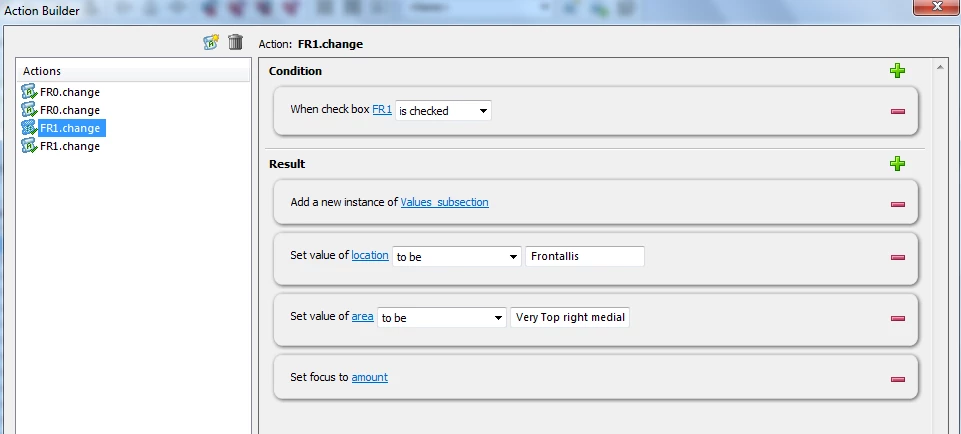
location and area are filled with text values [ Condition: when box FR0 is checked;  Result: set value of location to be some text, value of amount to be some text, set vocus on amount ]

When a check box is unselected the following actions ensue:

all fields are set to null.

NOTE: this actions work great with the first checkbox.

Now the issue at hand:

When the next checkbox is selected, what should happen is this: a new instance of the rows should appear, location and area should be automatically filled out in same manner as above and focus should be set on amount.

What happens is this: a new instance is created, focus is set on amount, but the 2 fields are not populated as in above example.

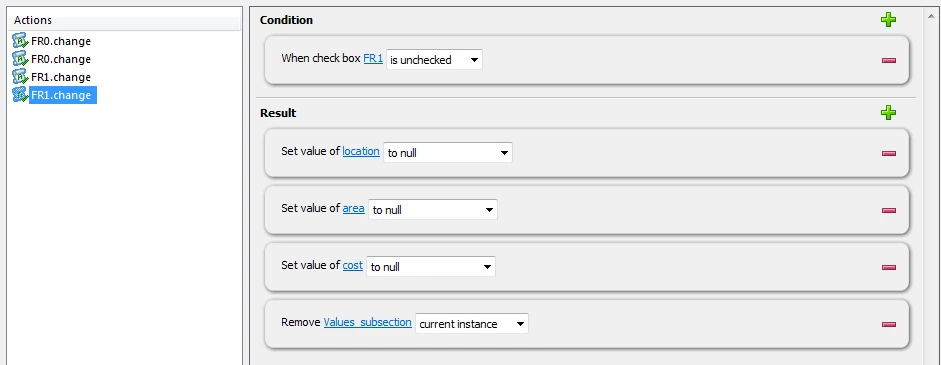
Next: When the other checkbox is unselected, the following should happen: the latest instance should dissapear and all cell values of last instance should be null.

What happens is this: the last instance goes aways but all the vlaues on original row (text only) also are set to null.

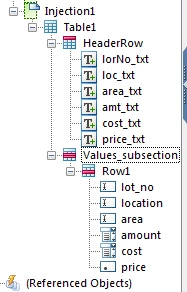
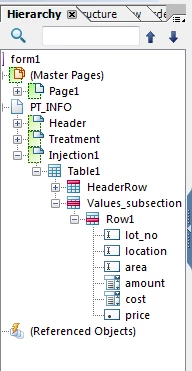
Now I know this setup is a mere issue with how I have my Table and subforms setup. So here is the setup of the form (also note images):

Row1 is under a Subform Values_subsection. Type: use all subforms in order / Binding: repeat section for each data item

Row1 has: Allow page breaks with content / Binding: repeat row for each data item

So where am I going wrong?
Thanks for all the help and suggestions in advance

Shai

This post is no longer active and is closed to new replies. Need help? Start a new post to ask your question.
Best answer by _Bruce_Robertson

Hi Shai,

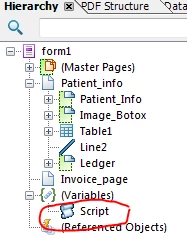
I think what you are trying to do is not supported by the action builder.  But can be done with your own scripting, I have added a script object which contains a custom script that will do what you want, I called it "Script" (see image below).  Select this object and then "All Events" under show in the script editor (ctrl-shift-f5) to see what I have done.

This now means that each checkbox change event needs the following JavaScript code;

Script.Change(this.rawValue, "FR 1", 100);

The first parameter is the value of the check box (1 for selected, 2 for unselected), the second the location, and the third the amount).

The Change funtion in the Script object looks like

function Change(newValue, location, amount)

{

    if (newValue == "1")

    {

      var newRow = Patient_info.Table1._Data.addInstance(1);

      if (xfa.host.version < 8) {

        xfa.form.recalculate(1);

      }

      newRow.loc.rawValue = location;

      newRow.amt.rawValue = amount;

      xfa.host.setFocus(newRow.amt);

    }

    else

    {

        var rows = Patient_info.Table1.resolveNodes("Data[*]");

        for (var i = 0; i < rows.length; i++)

        {

            var row = rows.item(i);

            if (row.loc.rawValue == location)

            {

                Patient_info.Table1._Data.removeInstance(row.index);

                break;

            }

        }

    }

}

You should see some similarity with what action builder produced.

I have only done the first row of checkboxes (the first four), but here is my version of your form I modified to check the above code worked.

https://workspaces.acrobat.com/?d=7j8MuoO37xAttiE8Q0N69Q

You may have to reselect the image of the face again as this was not included in the form you uploaded.

Hope this helps

Bruce

13 replies

_Bruce_Robertson
New Participant
November 12, 2013

Hi Shai,

There isn't a link to your form in your last post.

There are several ways to link the values of multiple fields.  You can bind them to the same value or maybe use a calculation script.

Bruce

ShailevitAuthor
New Participant
November 11, 2013

Hi Bruce,

Sure please find the entire form attached. I looked at a few examples

and even added more table-type sub-forms, but it is still not behaving

as I would like.

Similarly, is there a way to transpose one field value from a text to

another on another page?

Thanks in advance

Shai

_Bruce_Robertson
New Participant
November 11, 2013

Hi Shai,

You may have to share your form for me to understand what you are trying to do.  I don't understand how each checkbox is going to know which row of the table it has become associated with.

Regards

Bruce