
Unable to Login to AEM start with admin credentials when Global security is turned on. Error 500: java.lang.IllegalArgumentException: Location cannot be null in javax.servlet.http.HttpServletResponse.sendRedirect(location) | Community
Skip to main content
rajatkumar
New Participant
June 22, 2022
Solved

Unable to Login to AEM start with admin credentials when Global security is turned on. Error 500: java.lang.IllegalArgumentException: Location cannot be null in javax.servlet.http.HttpServletResponse.sendRedirect(location)

  • June 22, 2022
  • 2 replies
  • 3124 views

I'm running AEM Forms 6.5 JEE for WebSphere with the latest Service packs and hotfixes.
Everything works properly, except that I'm unable to login to AEM start (http://localhost:8080/lc/) with admin credentials when Global security is turned on. I have also installed the aem-websphere-globalsec-config-pkg-1.0.0.zip package.
Whenever I try logging in the AEM start (http://localhost:8080/lc/) , the following error is thrown :- 

Error 500: java.lang.IllegalArgumentException: Location cannot be null in javax.servlet.http.HttpServletResponse.sendRedirect(location)

The following Error is reflected in logs when I try to login in AEM start :
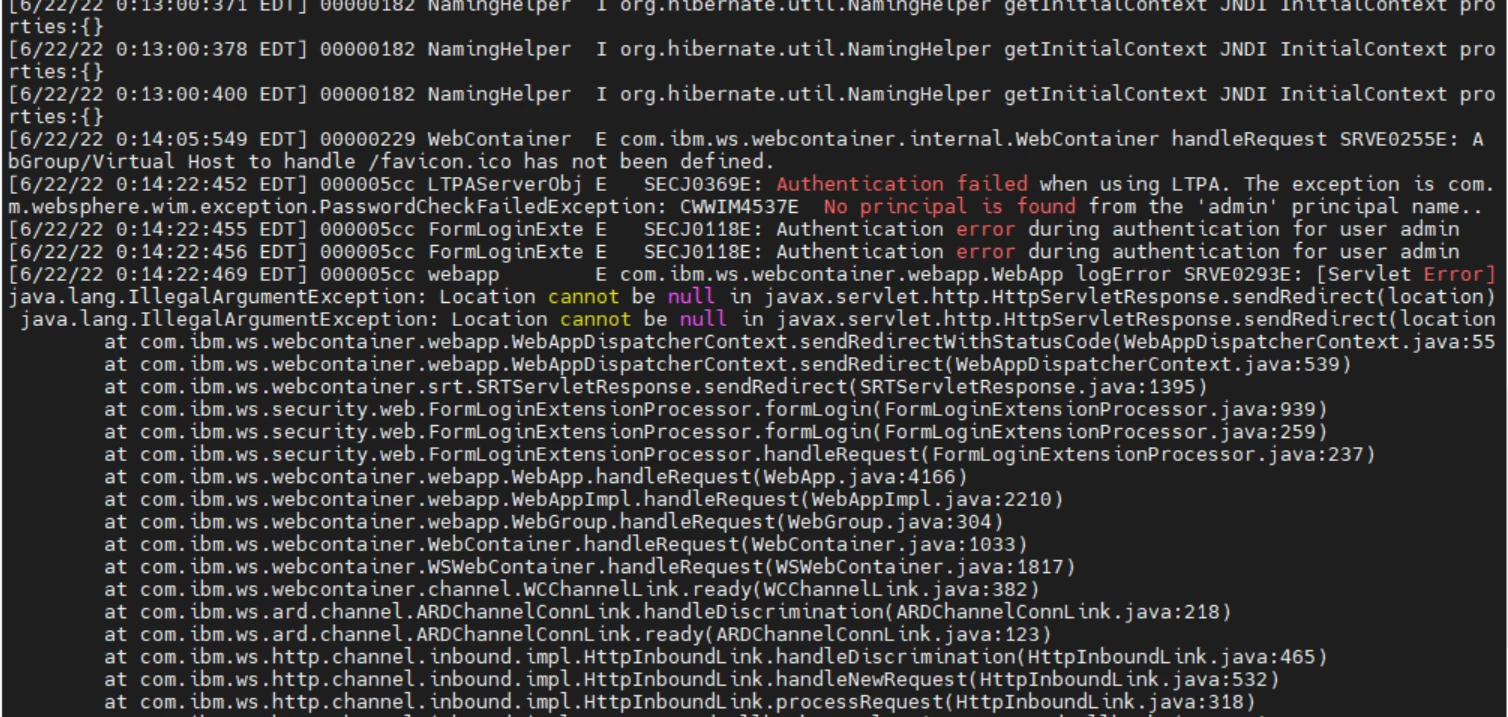
 

After turning off Global Security the login with admin credential works fine. 

Is there any configuration I am missing on WebSphere or in AEM ConfigMgr ?

Note, that AEM start login is working with other users like administrator/or any custom user but the web console is forbidden with 403 error.

Thank You in advance. 


This post is no longer active and is closed to new replies. Need help? Start a new post to ask your question.
Best answer by Pulkit_Jain_

@rajatkumar 

Thanks for confirming! Next, do check the below checkpoints if these are modified with the content patch or not. Looking closely at the package name shared, I see that package AEM-FORMS-6.5-WEBSPHERE-GLOBALSEC-CONFIG should be installed for AEM Forms 6.5 JEE so you can recheck. Also, you need to disable Global Security on the WebSphere Application server before applying this patch and re-enable it later.


1. Does "Adobe Granite Token Authentication Handler" bundle in configMgr page shows blank for "Alternate Authentication Url" field? If yes, provide j_sling_security_check there

2. Does "Apache Sling Authentication Service" in configMgr page shows as /j_security_check for "Authentication URI Suffices". If yes, change the URL to /j_sling_security_check


If these settings are updated, you can log a support ticket for further investigation.

2 replies

Mayank_Gandhi
Employee
June 23, 2022

@rajatkumar You need to disable the global security and enable the steps as highlighted in the docs and also in the AEM forms docs. Post which you can enable it again.

Pulkit_Jain_
Employee
June 22, 2022

@rajatkumar 

Could you check for the below configuration on this set-up and ensure that CSIv2 inbound/outbound transport option to SSL-Supported. On the default Global Security enabled installation of IBM WebSphere, CSIv2 inbound transport option is usually set to SSL-required. To change the option:

1) Log in to IBM WebSphere administration console.

2) Expand Security, and then click Global security.

3) In the Authentication section, expand RMI/IIOP security, and then click CSIv2 inbound communications (and then for CSIv2 outbound communications.)

4) In CSIv2 Transport Layer section, set value of Transport to SSL-Supported.

5) Click Apply and restart the server.


rajatkumar
New Participant
June 22, 2022

@pulkit_jain_ 
Hi Pulkit, Hope you are doing good!!
Yes, I have both the CSIv2 inbound/Outbound set to SSL-Supported for output and forms functionality to work. And with this set to SSL-Supported my print and email functionality is working fine but not the AEM start login.
Any other config I'm missing??

Pulkit_Jain_
Pulkit_Jain_Accepted solution
Employee
June 23, 2022

@rajatkumar 

Thanks for confirming! Next, do check the below checkpoints if these are modified with the content patch or not. Looking closely at the package name shared, I see that package AEM-FORMS-6.5-WEBSPHERE-GLOBALSEC-CONFIG should be installed for AEM Forms 6.5 JEE so you can recheck. Also, you need to disable Global Security on the WebSphere Application server before applying this patch and re-enable it later.


1. Does "Adobe Granite Token Authentication Handler" bundle in configMgr page shows blank for "Alternate Authentication Url" field? If yes, provide j_sling_security_check there

2. Does "Apache Sling Authentication Service" in configMgr page shows as /j_security_check for "Authentication URI Suffices". If yes, change the URL to /j_sling_security_check


If these settings are updated, you can log a support ticket for further investigation.