Problem when export experience fragment to Adobe Target | Community
Skip to main content
Level 3
Sep 19, 2019 2:35 PM UTC
Solved

Problem when export experience fragment to Adobe Target

Hello Guys,

I am having a problem when I am trying to export experience fragment to Adobe Target.

Does anyone have a similar problem?
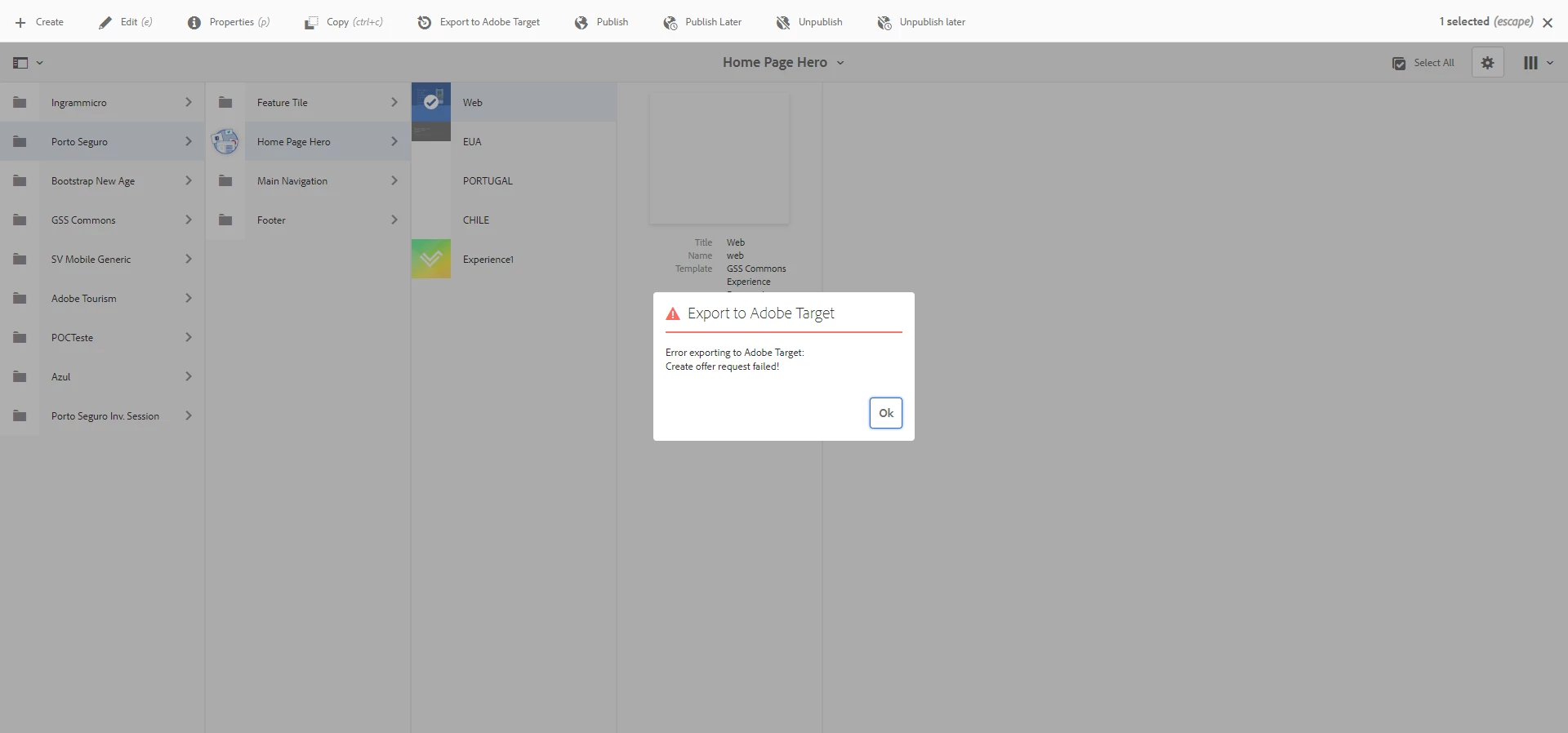
Thanks

Alisson Xavier

This post is no longer active and is closed to new replies. Need help? Start a new post to ask your question.
leoberliantAccepted solution
Employee
Sep 19, 2019 4:41 PM UTC

Is it a Target via Adobe IO integration?

If yes, you need to get to Experience Cloud Admin Console Admin Console

From Product select Workspace -> Integration and add your Adobe IO integration with Approver product role

18 replies

evea14561890
New Participant
Oct 18, 2019 1:43 AM UTC

Changed to Approver. The error still persists.

Translate
Level 2
Jun 28, 2022 6:02 AM UTC

is this issue resolved?
Even after having approver access, im getting this issue again and again

Translate
anurag-wyndham
New Participant
Sep 25, 2019 9:10 PM UTC

Hi alissonxavier0105​ thanks again! I was not getting the integration option in admin console due to a permission issue which has got resolved but I really appreciate your help! Super helpful!!

Translate
Level 3
Sep 25, 2019 7:35 PM UTC

You need to configure an integration in Adobe IO.

After that, you can see this tab in Admin Console.

Translate
anurag-wyndham
New Participant
Sep 25, 2019 6:42 PM UTC

Thanks a lot @alissonxavier0105 for the screenshot - this is where I was confused - I do not have Integration tab in my adminconsole for target, could you please share how do you get that tab for Integrations?

Translate
Level 3
Sep 25, 2019 12:06 PM UTC

Hi,

Follow my screenshot of the adminconsole.

Translate
anurag-wyndham
New Participant
Sep 25, 2019 3:20 AM UTC

Hi,

I'm also experiencing the same issue - could you please post a screenshot of the adminconsole

Translate
New Participant
Sep 20, 2019 5:18 AM UTC

Hi All,

I have set my integration permission to Approver and also tried with Editor but it is still failing for me. I get the same error as previously mentioned. Is there something required from Adobe to enable?

Translate
Level 3
Sep 19, 2019 4:48 PM UTC

My integration is using observer permission. I have changed to approver and it is working now.

Thanks, guys

Translate
Employee
Sep 19, 2019 4:43 PM UTC

Adding to Leo's comment, If you are not using IO, you can follow the steps below:

Manually Configuring the Integration with Adobe Target

Translate
leoberliantAccepted solution
Employee
Sep 19, 2019 4:41 PM UTC

Is it a Target via Adobe IO integration?

If yes, you need to get to Experience Cloud Admin Console Admin Console

From Product select Workspace -> Integration and add your Adobe IO integration with Approver product role

Translate
Employee
Nov 2, 2022 6:28 AM UTC

*Update*

The integrations tab now seem to appear as API credentials tab. Set the product role as Approver in this tab and you should be good to go.


Translate