Target integration with AEM 6.5 via IMS | Community
Skip to main content
Andrey_Osadchuk
New Participant
May 21, 2019
Solved

Target integration with AEM 6.5 via IMS

  • May 21, 2019
  • 15 replies
  • 11132 views

Hi everyone,

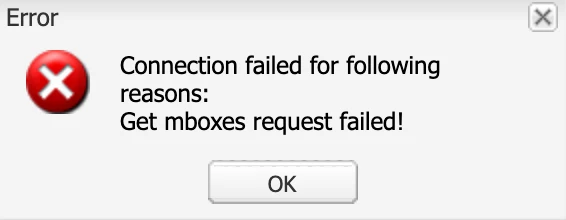
I have faced a challenge to integrate Adobe Target with AEM 6.5 via IMS. The IMS has been configured, the status is OK (Token retrieved successfully). However, when integrating Target either via "AEM Cloud Services Opt-In" dialog or via Cloud Services configuration an error message "Get mboxes request failed!" pops up.

Does anyone know the cause of this error?

---
Best answer by Amuthesan

Hi Andrey,

Please check if you have provided IMS Tenant ID as your client code, It is not same as the client code used for earlier integration.

Client code - IMS Tenant ID, can be obtained from Adobe Experience Cloud > Launch Target > Copy IMS teant id from the URL

Reference:

Adobe Experience Manager Help | Understanding Adobe Target Standard integration with AEM Sites

Thanks,

Amuthesan.

15 replies

New Participant
September 28, 2023

In my particular case, solving this problem was a bit different.

As some of you were mentioning to look for the URL where the client code can be found, it was not obvious at first to me.

I assumed that I was able to just use the client code that was provided within:

  • Adobe Target > Administration > Implementation

Like down below:

However for some reason, copying the client code from this page did not work.

As I was trying to figure out to solve this particular problem, I realized that with if the client code is available within the url like one of u suggested.

Even though the client code presented within the URL is not equal to the client code presented within the screen,

I managed to make this work by using the client code from the URL!


Hopefully, this example might help someone else as well.


Have a good day!

Employee
April 26, 2020

Anyone facing this issue should note that the "client code" expected in this dialog is actually the org id or the tenant id. For example if your cloud product URL is https://experience.adobe.com/#/@aes1448/target

or 

https://aes1448.experiencecloud.adobe.com/


Then your "client code" is "aes1448" for that dialog.


I have tested it works with that value.

Employee
October 3, 2019

"Client Code" not "Adobe ID" - sorry.

But yes - this is the field. It says "Client Code" but you have to enter the "Tenant ID". I didn't use the wizard, though but created the Integration "manual" in the Cloud Configuration. But I would assume the wizard mixes up the labels, too.

New Participant
October 2, 2019

It only provides you option to set the Client Code?

Employee
October 2, 2019

Yes we have a solution - you now have to use the "tenant id" where it asks for the "adobe id". The tenant id is part of the URL when you open target:

https://<<tenantid>>.experiencecloud.adobe.com/content/mac/<<tenantid>>/target/activities.html

New Participant
October 1, 2019

Do we have a fix for this yet? Same issue and my clientID is 100% correct. Looks like the integration might be broken.

Employee
September 19, 2019

Ran into the same issue in AEM 6.5.2. As Amuthesan said, now the tenant ID is required

Amuthesan
New Participant
May 31, 2019

Hi Andrey,

I ran in to the same error as you during my attempt at integration. While I trigger the health check AEM connects to Adobe IO to get mbox list. Please check the logs there should be clear information on to why it is failing for you.

If it helps, the error that I ran into,

From the logs I came to know that AEM was trying to connect to the Adobe IO via url,

https://mc.adobe.io/<clientcode>.experiencecloud/target/mboxes

Since the client code was incorrect it failed with message,

{"error_code":"502061","message":"Bad Gateway. No tenant associated with the user profile."}

Updating the client code as per the reference in my previous post, addressed the problem.

Thanks,

Amuthesan

Andrey_Osadchuk
New Participant
May 31, 2019

Amuthesan,

The Client code is always required and was set as needed. Do you have any insights about the error message I shared in the question?

Amuthesan
AmuthesanAccepted solution
New Participant
May 30, 2019

Hi Andrey,

Please check if you have provided IMS Tenant ID as your client code, It is not same as the client code used for earlier integration.

Client code - IMS Tenant ID, can be obtained from Adobe Experience Cloud > Launch Target > Copy IMS teant id from the URL

Reference:

Adobe Experience Manager Help | Understanding Adobe Target Standard integration with AEM Sites

Thanks,

Amuthesan.